Run your round from the van.
Osmosis plans each day from your rounds, records every clean as you tap Done and Paid at the gate, tells customers you are coming, and shows you who owes what. On your phone, tablet and computer, for as many users as you like.

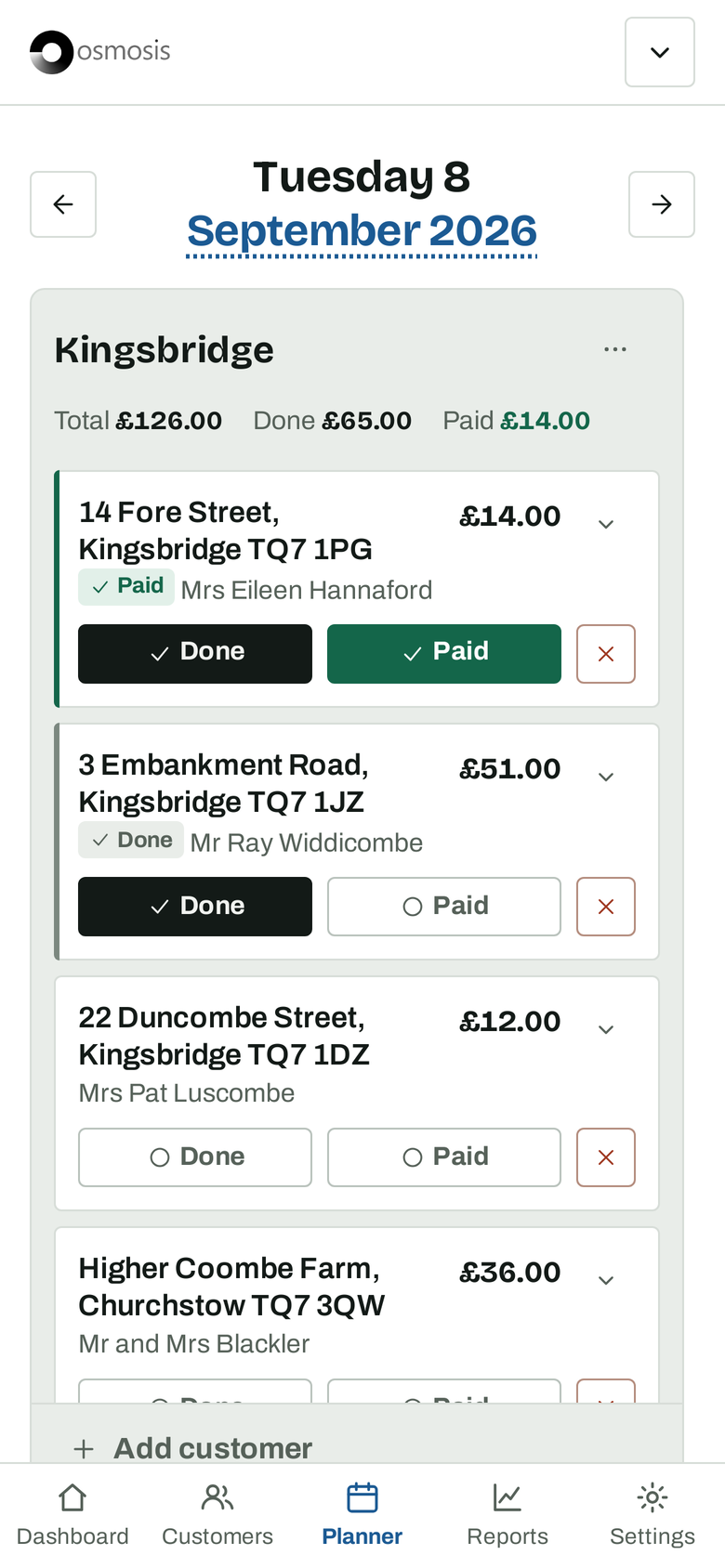
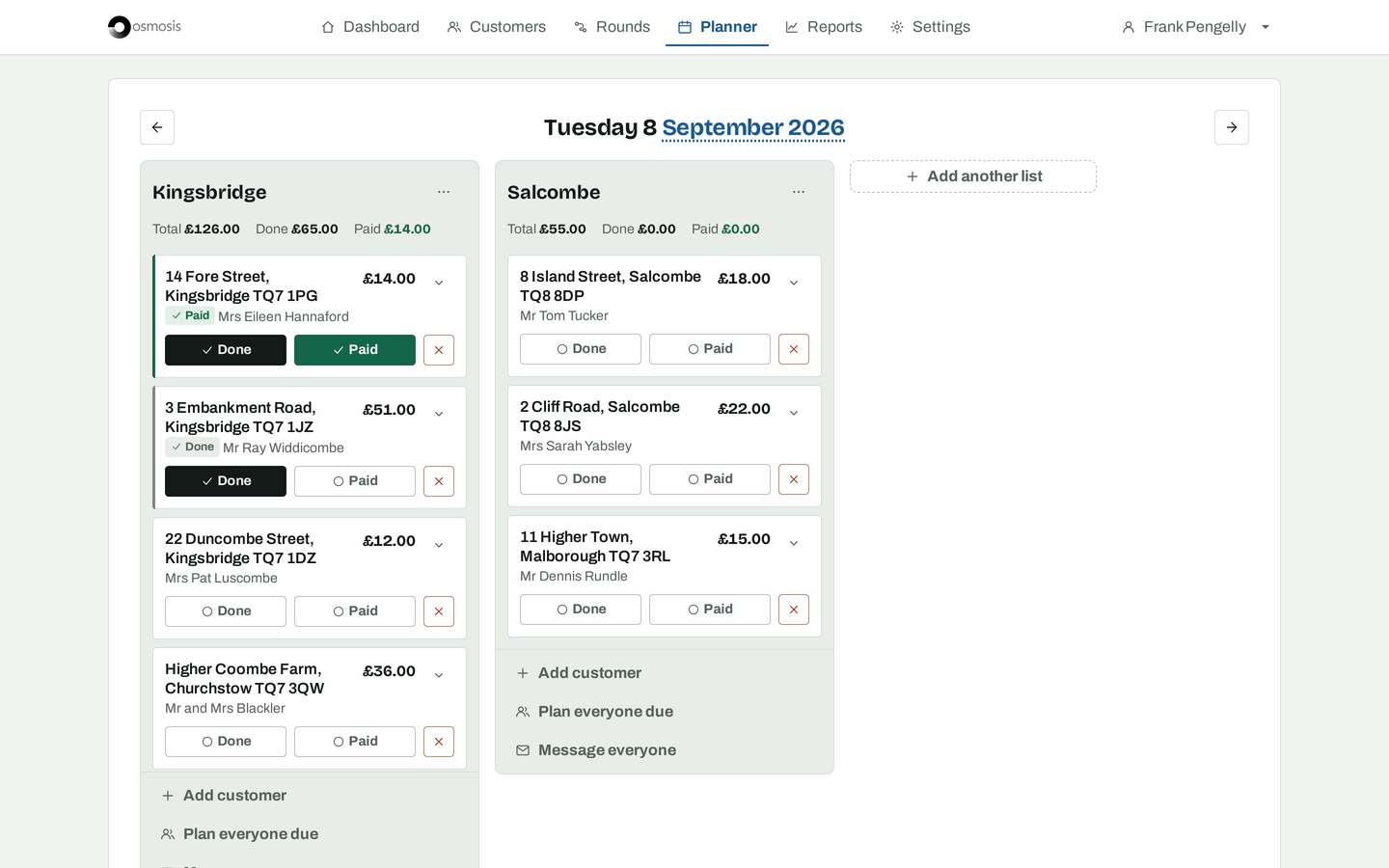
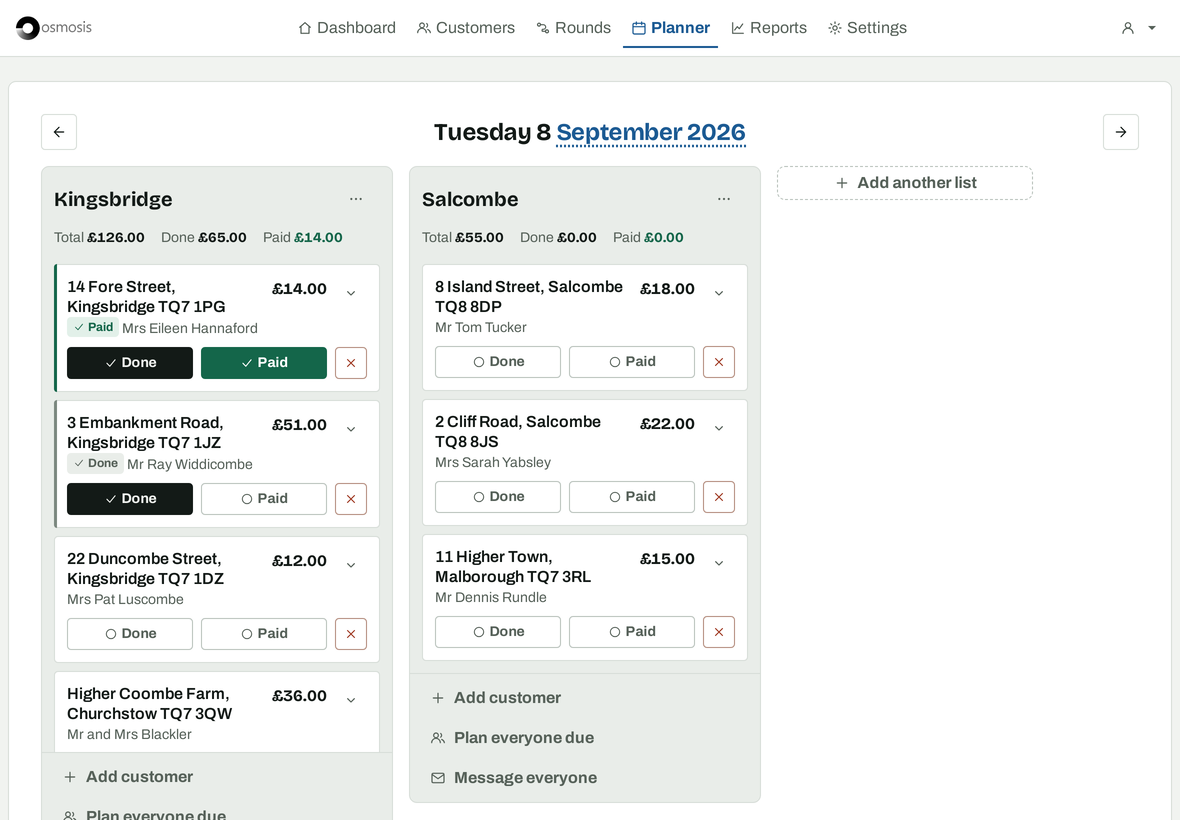
Plan a day in one go
Every customer carries the date they are next due. Planning a day is picking who to take.
- Fill a day from a round, or from everyone who is due, in one action.
- Drag the list into the order you drive it. Split a day into more than one list when two of you are out.
- Tap Done and Paid at the gate. The job is recorded, the price is added up and the customer's next date moves on.
- Copy or move a list to another day when a day is rained off.
- Print the day, or open an address in Google Maps from the list.
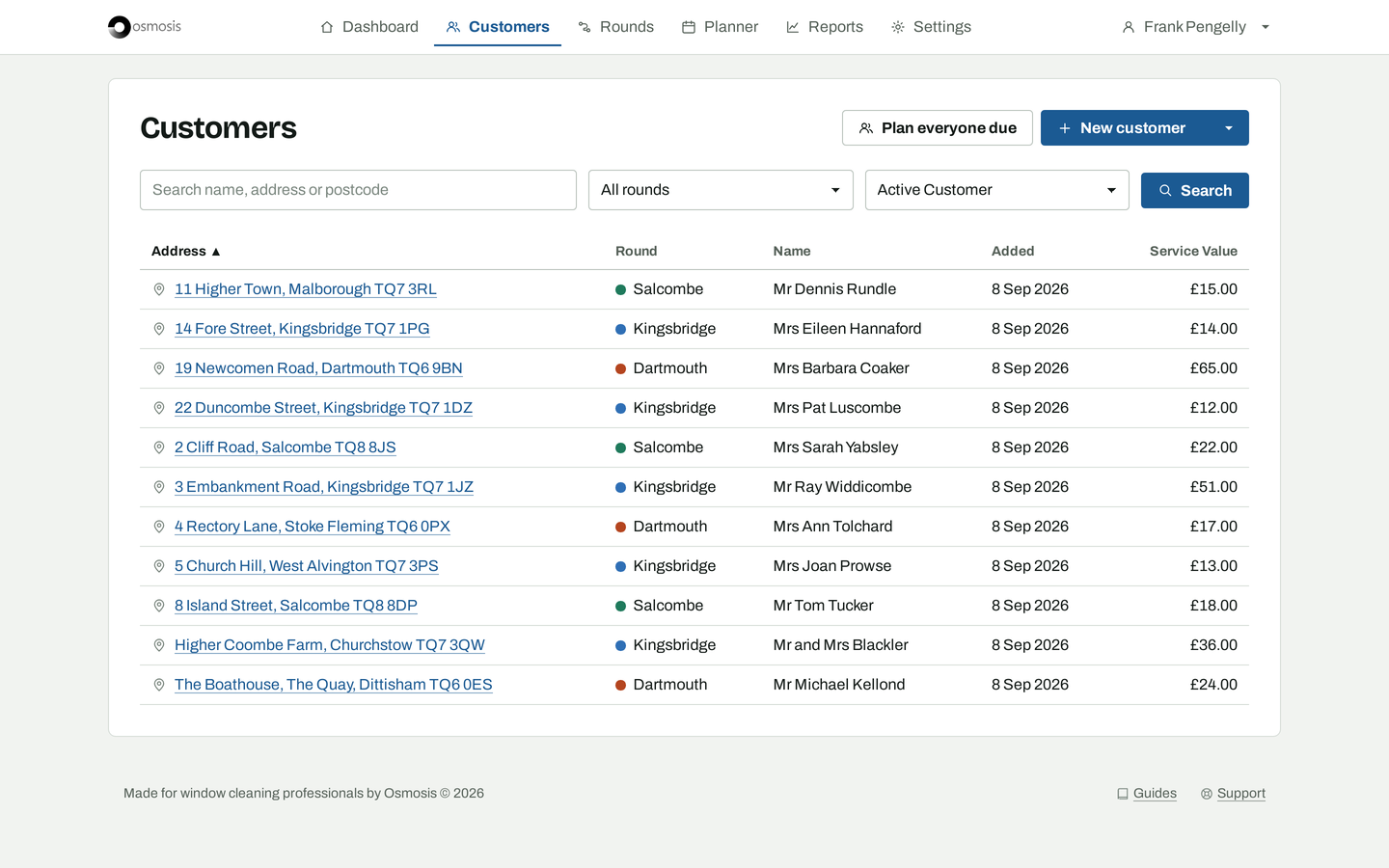
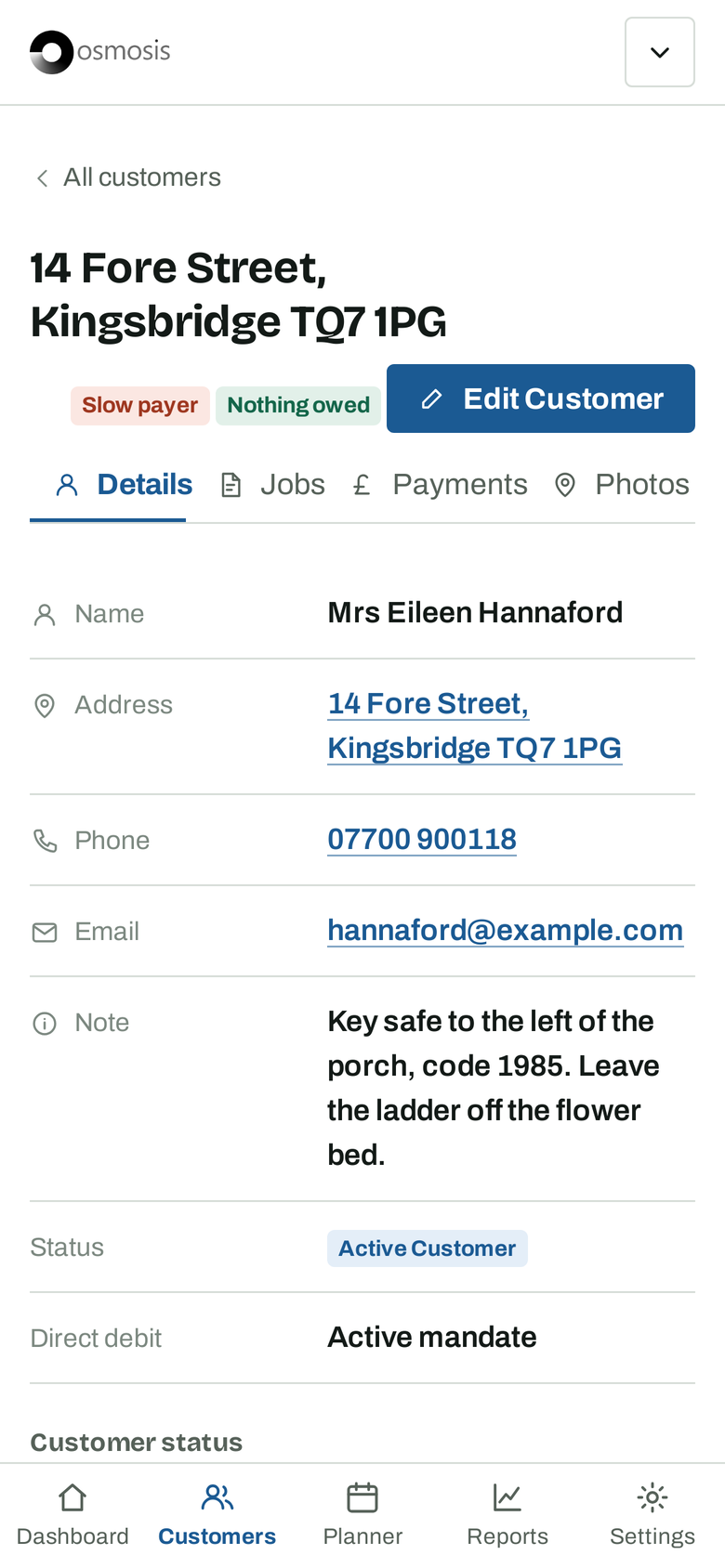
Every customer, every price
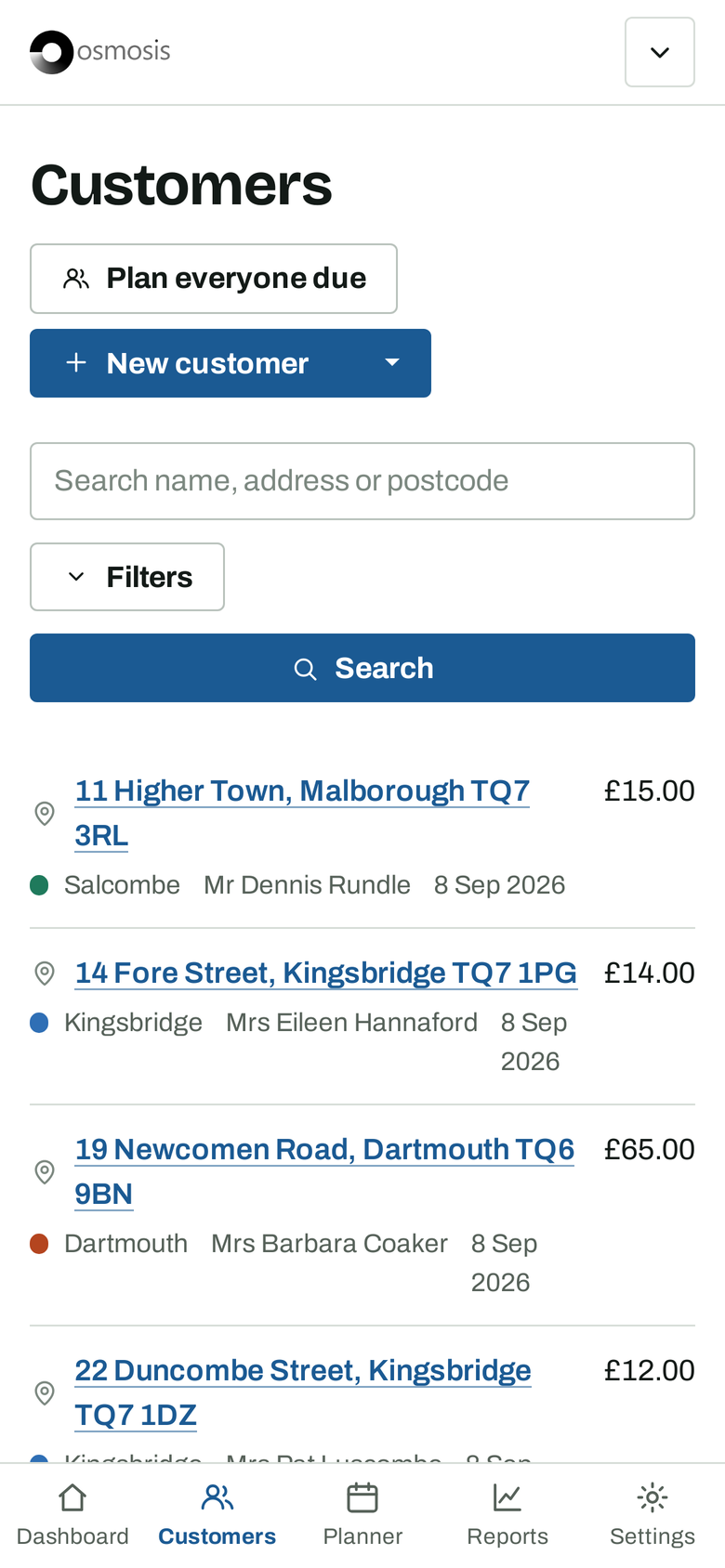
Add a customer once and price each thing you clean for them. Every day you plan and every job you record is priced from here.
- Name, address, phone, email and a note for the gate code or the dog.
- Windows every four weeks, gutters twice a year. Each service has its own price and its own frequency.
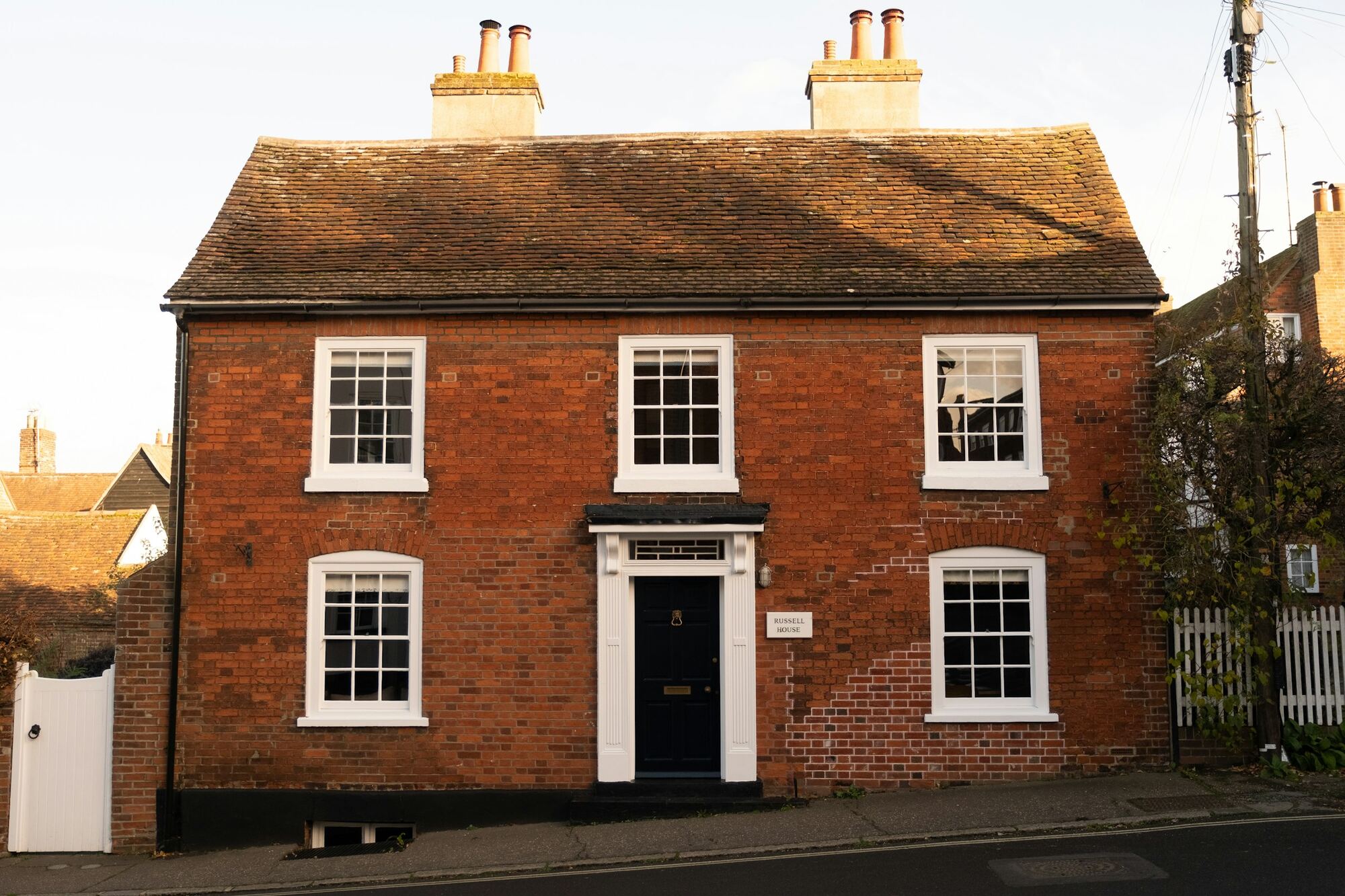
- Photos of the property, so whoever is on the round finds the right house.
- Rounds, colour coded. Sort by round, name, value or date added; search by name, address or postcode.
- Import from George or Cleaner Planner and carry on where you left off.
Tell customers before you turn up
Gates get unlocked, cars get moved, and fewer people ask when you are next coming.
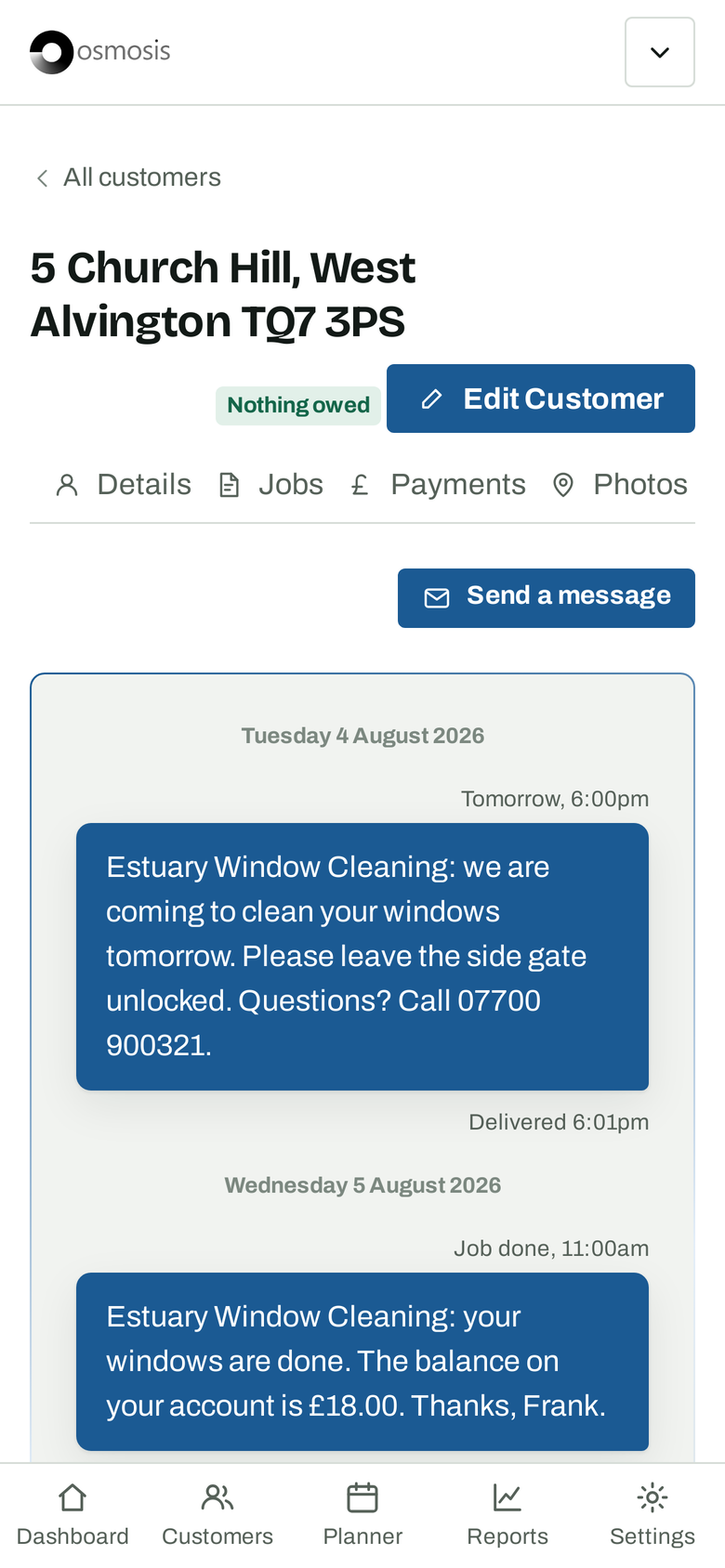
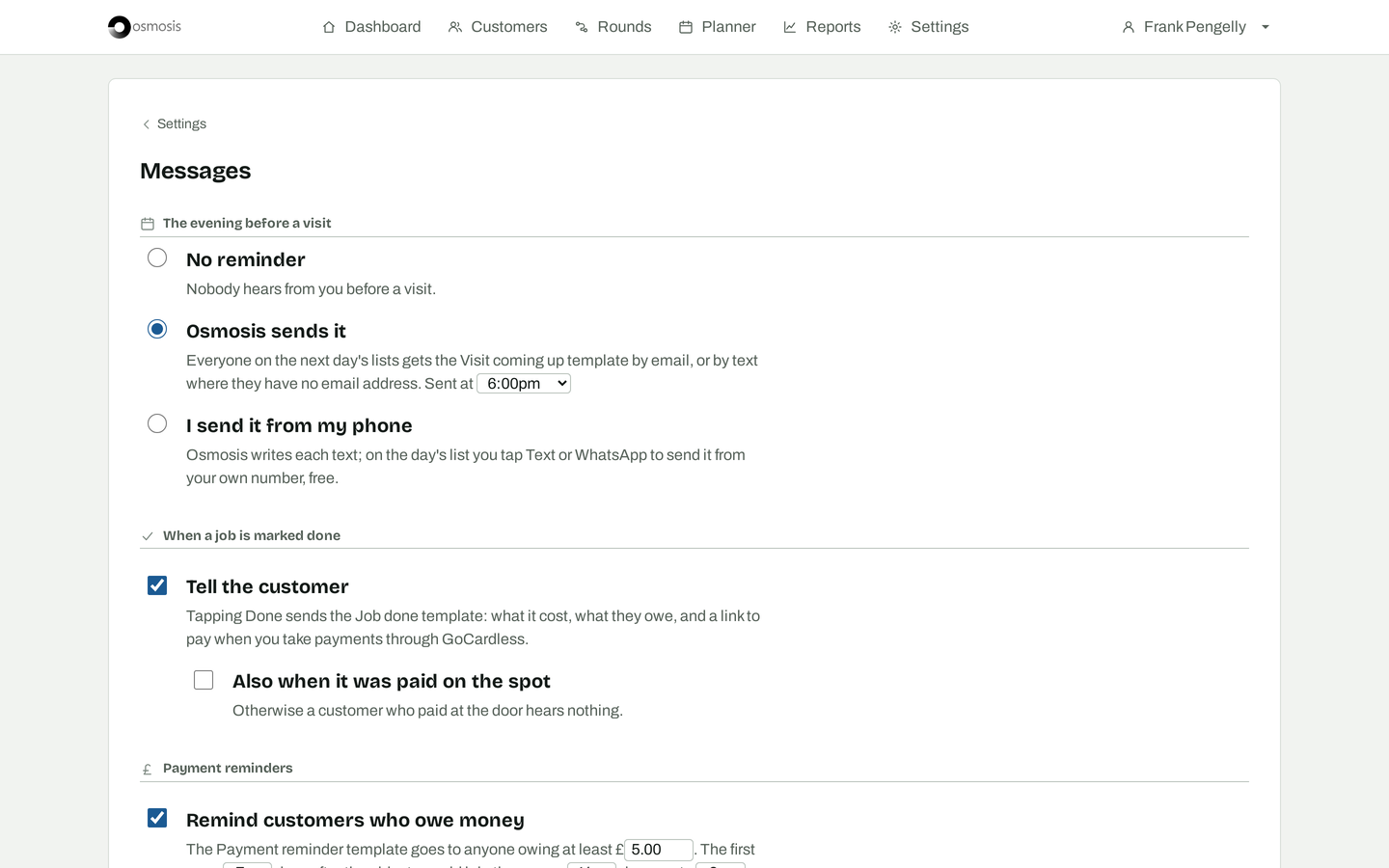
- The evening before, everyone on tomorrow's list gets a text or an email, sent for you at the time you choose. Or send it from your own phone with one tap.
- When you tap Done, the customer is told what was done, what it cost and how to pay.
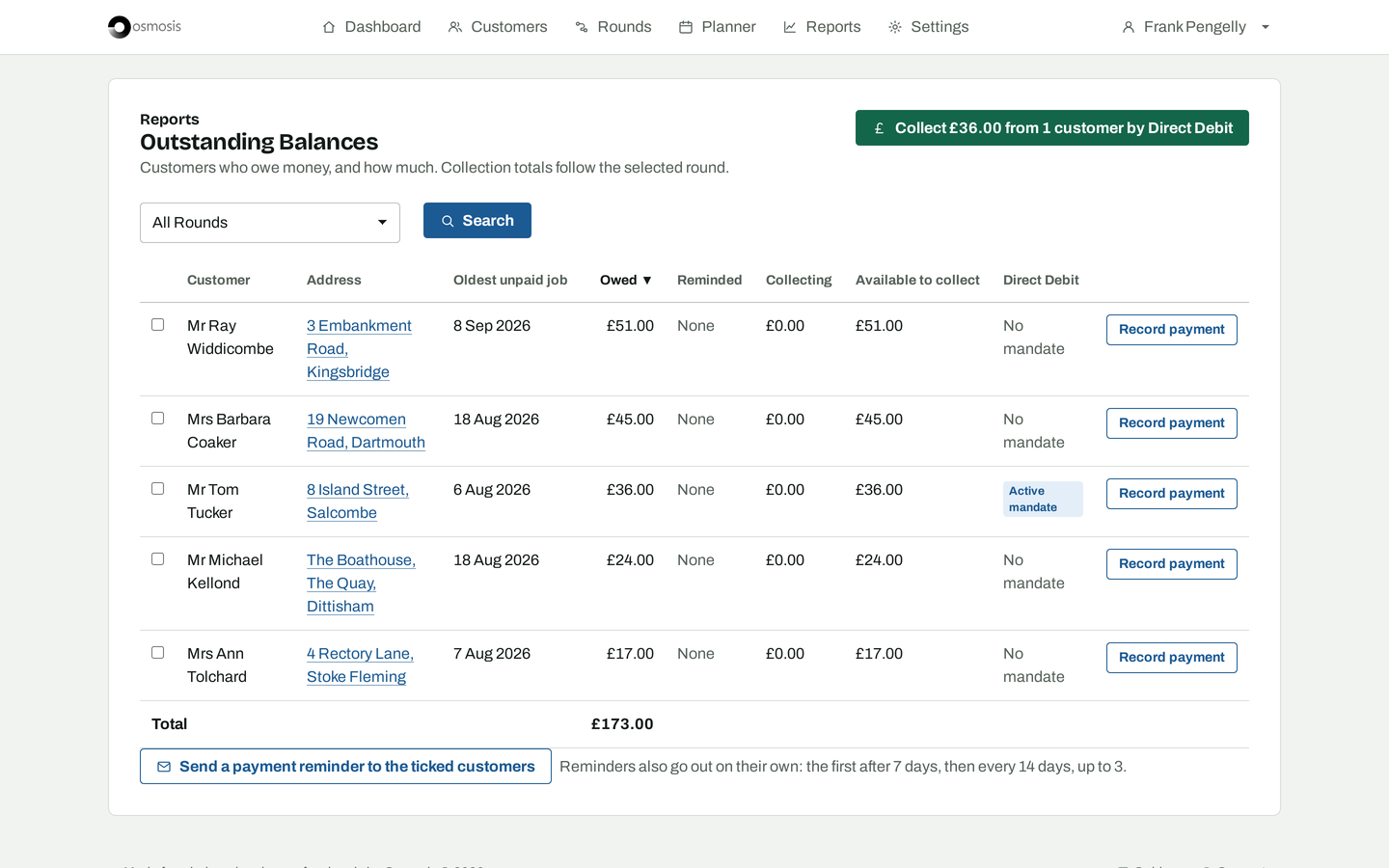
- Payment reminders go out on their own: after 7 days, then every 14, to anyone who still owes.
- Templates in your own words. Message one customer or everyone on a list.
- Email is included. Texts use message credits that come with your subscription.
See who owes you, and how much
Cash at the door, a transfer on Friday, half now and half next time. Whatever way you are paid, the books stay right.
- Paid at the door is one tap on the list. Transfers, part payments and credit are recorded from the customer's page.
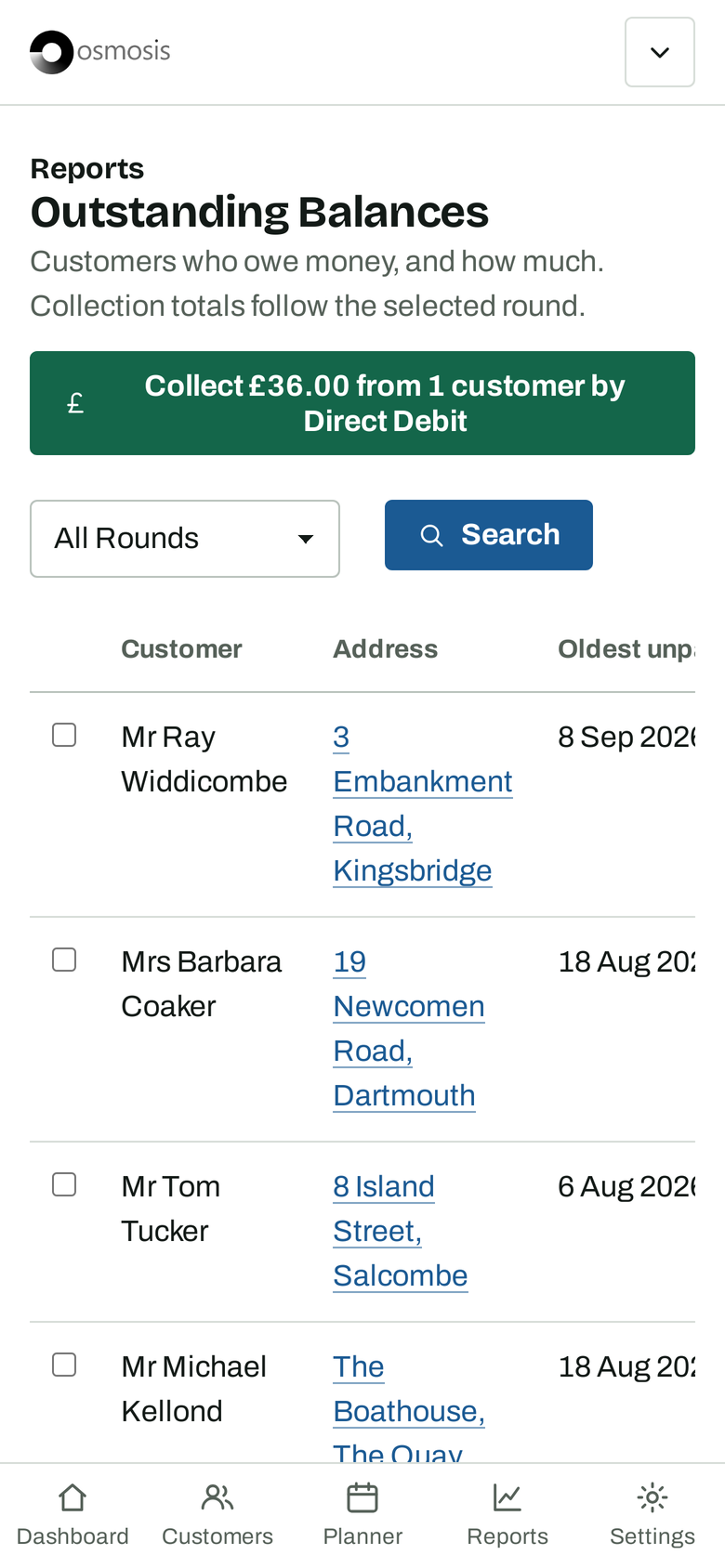
- Outstanding balances by round, with the oldest unpaid job for each customer and a reminder button beside it.
- Income by month, showing how each job was paid.
- Slow payers are marked on their page, so you know before you knock.
- Download every customer, job and payment as a spreadsheet for your accounts.
Collect by Direct Debit Coming soon
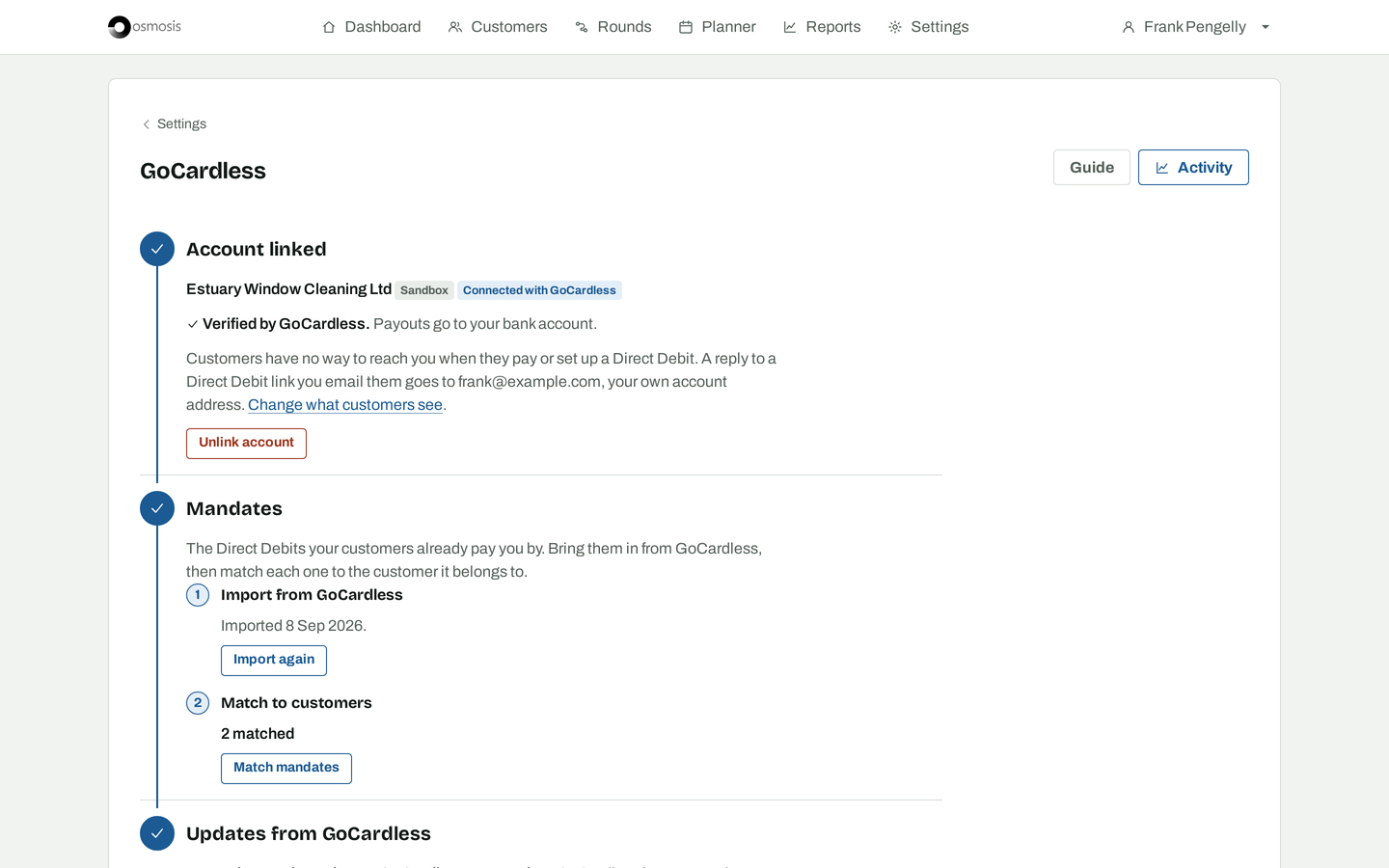
Connect your GoCardless account and the money is requested as you tap Done. Built and being tested; not yet switched on for accounts.
- Connect with one sign in at GoCardless, or create an account from Osmosis with your details filled in.
- Bring in the mandates you already hold and match them to your customers.
- Collect when a job is marked Done. The customer's balance updates as the payment arrives.
- A customer without a mandate gets a link to set one up from their banking app.
- Collect from everyone who owes in one action, and refund from the customer's page.
Read how it will work, or ask us to be told when it is ready.
Phone at the gate, laptop at the kitchen table
One app, the same everywhere. Nothing to install and nothing to sync.
- Phone, tablet and computer. Osmosis runs in the browser and fits the screen it is on.
- Unlimited users. Everyone on the team gets their own login and sees the same lists.
- A dark theme for early starts and winter afternoons.
- Works on the iPad you already have, back to iPadOS 15.
- Support by email from the people who build it, in the UK.
The whole list
Planning
- Fill a day from a round or from everyone who is due
- Drag jobs into driving order
- More than one list on a day
- Copy or move a list to another day
- Month view of what is planned
- Print the day
- Open an address in Google Maps
- Weekly, four-weekly, quarterly or yearly services
- Next due date moves on when the job is done
Customers
- Name, address, phone, email and notes
- Photos of the property
- Any number of services per customer, each priced
- Rounds with colours
- Sort by round, name, value or date added
- Search by name, address or postcode
- Active, paused and quote statuses
- Slow payer marker
- Import from George or Cleaner Planner
Money
- Done and Paid with one tap
- Cash, bank transfer, part payment and credit
- Outstanding balances by round
- Income by month with payment method
- Dashboard: customers, jobs done and round value
- Download your data as a spreadsheet
Messages
- Evening-before reminders, sent for you or from your phone
- Job done message with the cost and how to pay
- Payment reminders after 7 days, then every 14
- Templates in your own words
- Text or email, per customer
- Message one customer or a whole list
- Send from your own number by Text or WhatsApp
Direct Debit Coming soon
- Connect or create a GoCardless account
- Import and match existing mandates
- Collect when a job is marked Done
- Payment link for customers without a mandate
- Collect from everyone who owes at once
- Refunds and a log of every collection
Everywhere
- Phone, tablet and computer
- Unlimited users
- Light and dark themes
- iPads on iPadOS 15 and later
- Every feature on every plan
- Made in the UK
Start your free month
Unlimited users and every feature for a month. Nothing is charged before then, and there is no card to enter to begin.
Photographs by Joshua Bowers, Andri Aeschlimann, Autotrader UK and David Walker on Unsplash.