Collecting by Direct Debit with GoCardless
Connect your GoCardless account, bring in the mandates you already hold, and collect when a job is done.
GoCardless collects Direct Debits. Once your account is connected, Osmosis asks GoCardless for the money as you tap Done on a round, and the customer's balance updates as payments arrive. A customer without a mandate can pay from a link instead, straight from their banking app. Nothing is collected until you connect an account, and nothing is taken from a customer who has not agreed to it.
1. Connect your GoCardless account
Open Settings and, under GoCardless, choose Connect your GoCardless account. You sign in at GoCardless, allow Osmosis to collect on your behalf, and come straight back. If you do not have a GoCardless account yet, choose Create a GoCardless account; your details are filled in for you and GoCardless walks you through the rest.
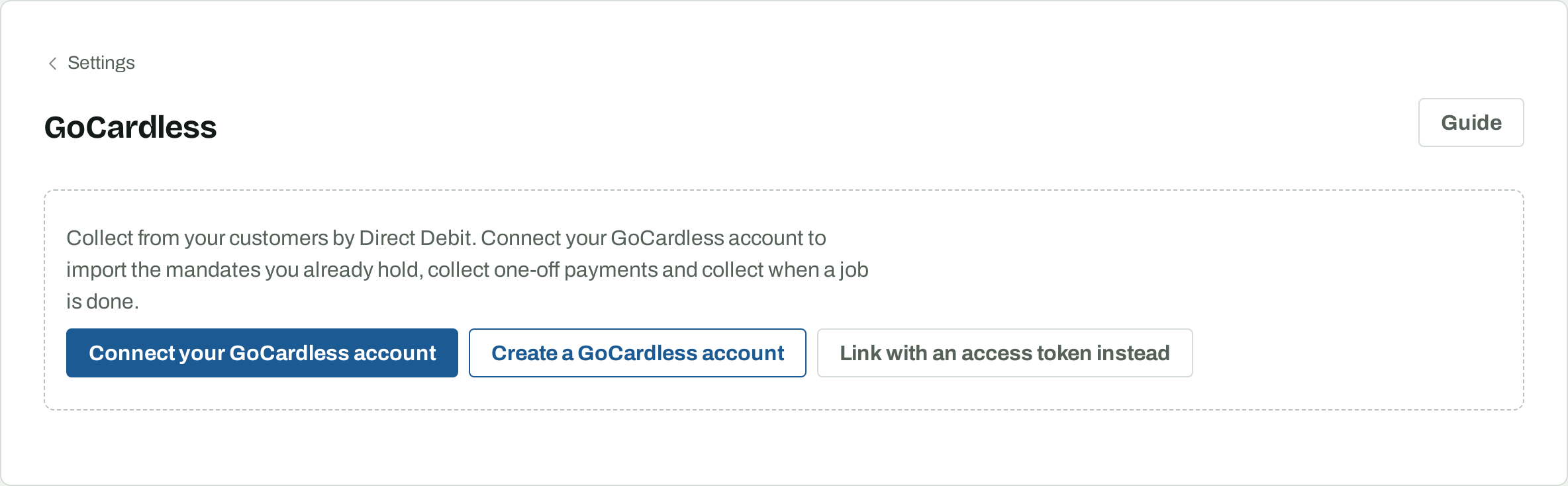
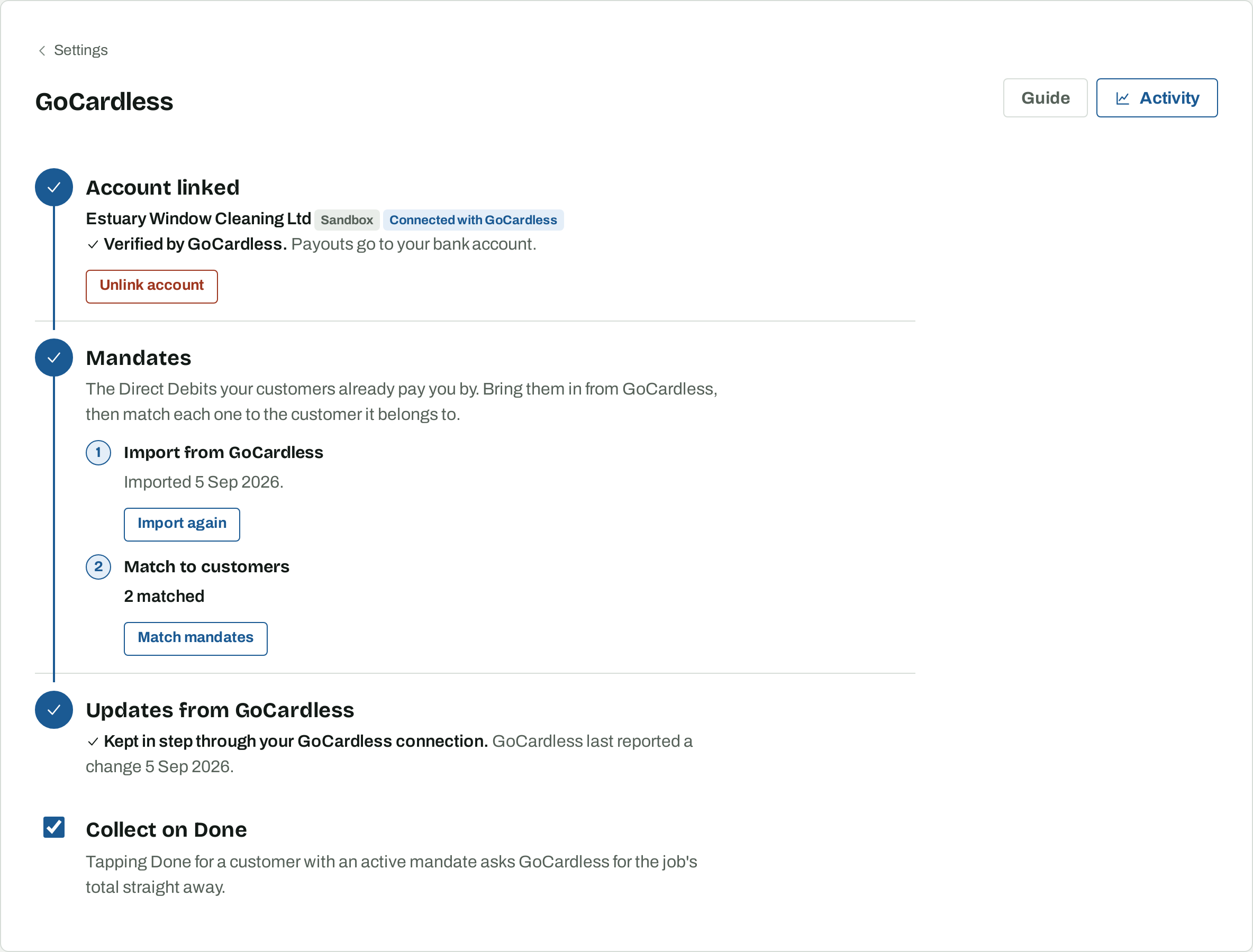
Once connected, the GoCardless page shows three steps: the account, your mandates, and updates from GoCardless. Each fills in as it is done.
2. Get verified
GoCardless checks who you are before it pays out. If it needs anything from you, the Account step says so and Finish verifying at GoCardless takes you to the right place. Collections can still be requested while GoCardless reviews your details; payouts start once it is done.
3. Bring in your mandates
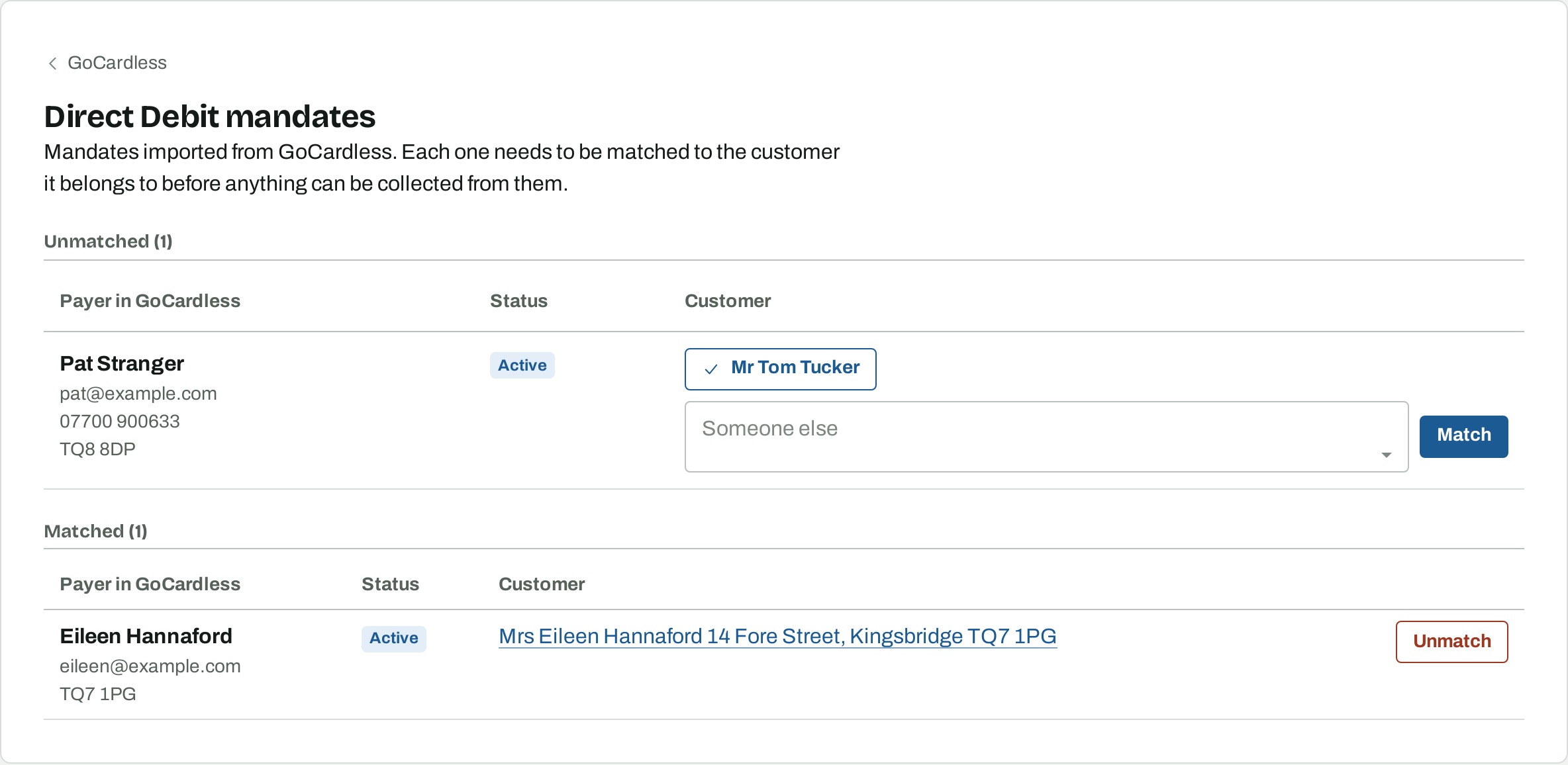
If your customers already pay you through GoCardless, their mandates come with you. Under Mandates, choose Import mandates. Osmosis reads every payer and mandate from GoCardless and matches each one to the customer it belongs to by email, phone number, or name and postcode. Anyone it cannot place is listed under Match mandates, where the likely customers are one tap away.
4. Collect when a job is done
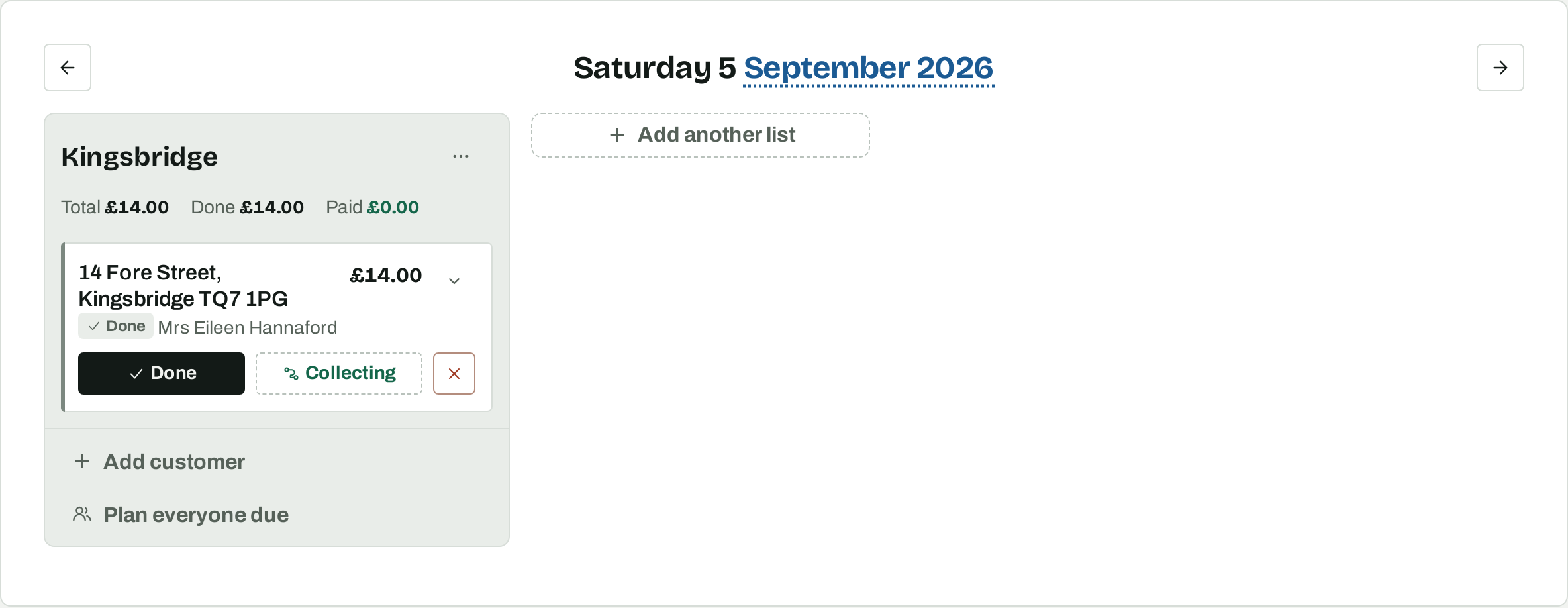
Tick Collect on Done on the GoCardless page. From then on, tapping Done for a customer with an active mandate asks GoCardless for the job's total straight away. The work list shows Collecting until the money arrives, then Paid. Cash on the doorstep still works: tap Paid and the Direct Debit is called off if GoCardless has not yet sent it to the bank.
5. Collect from one customer
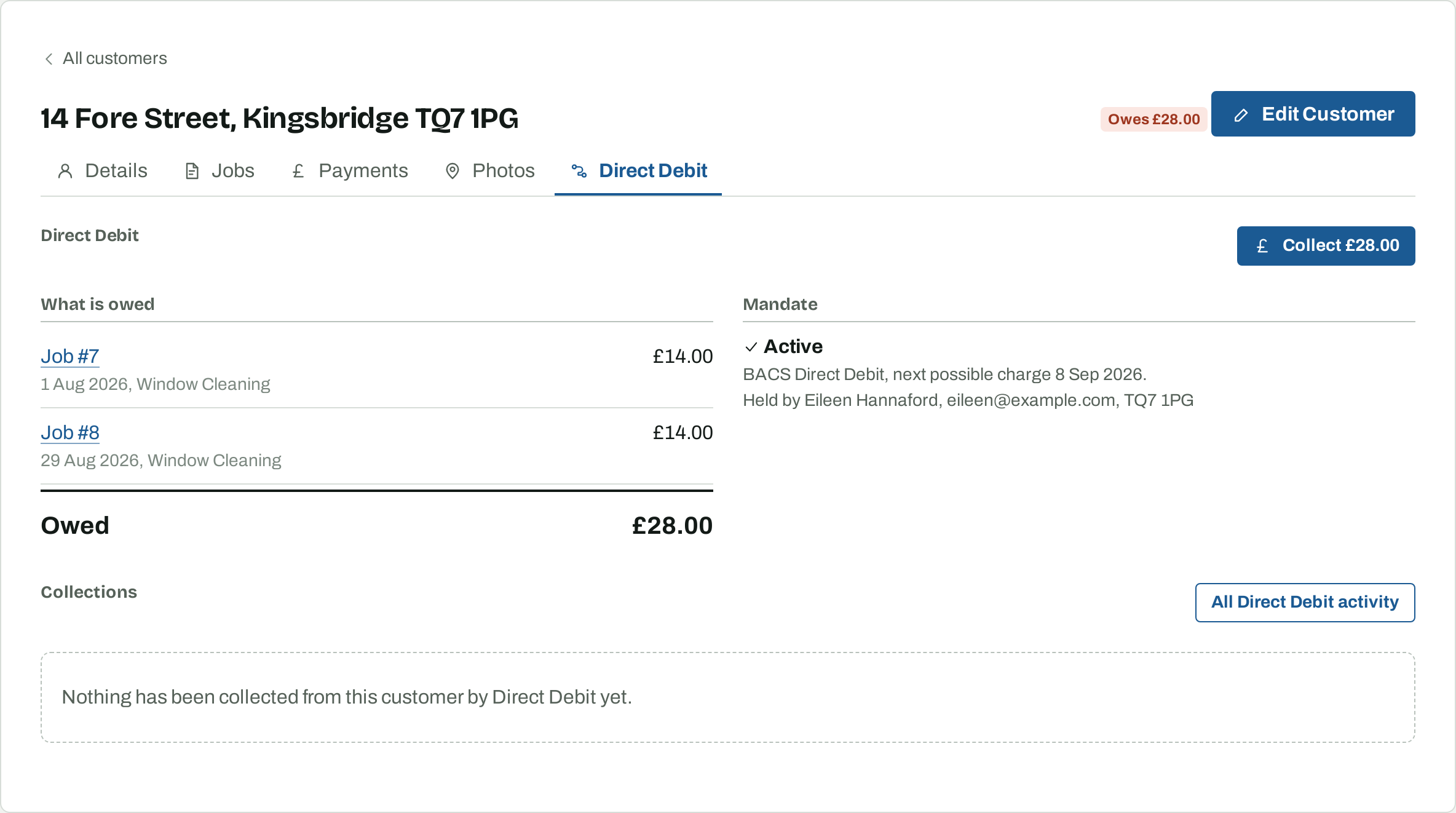
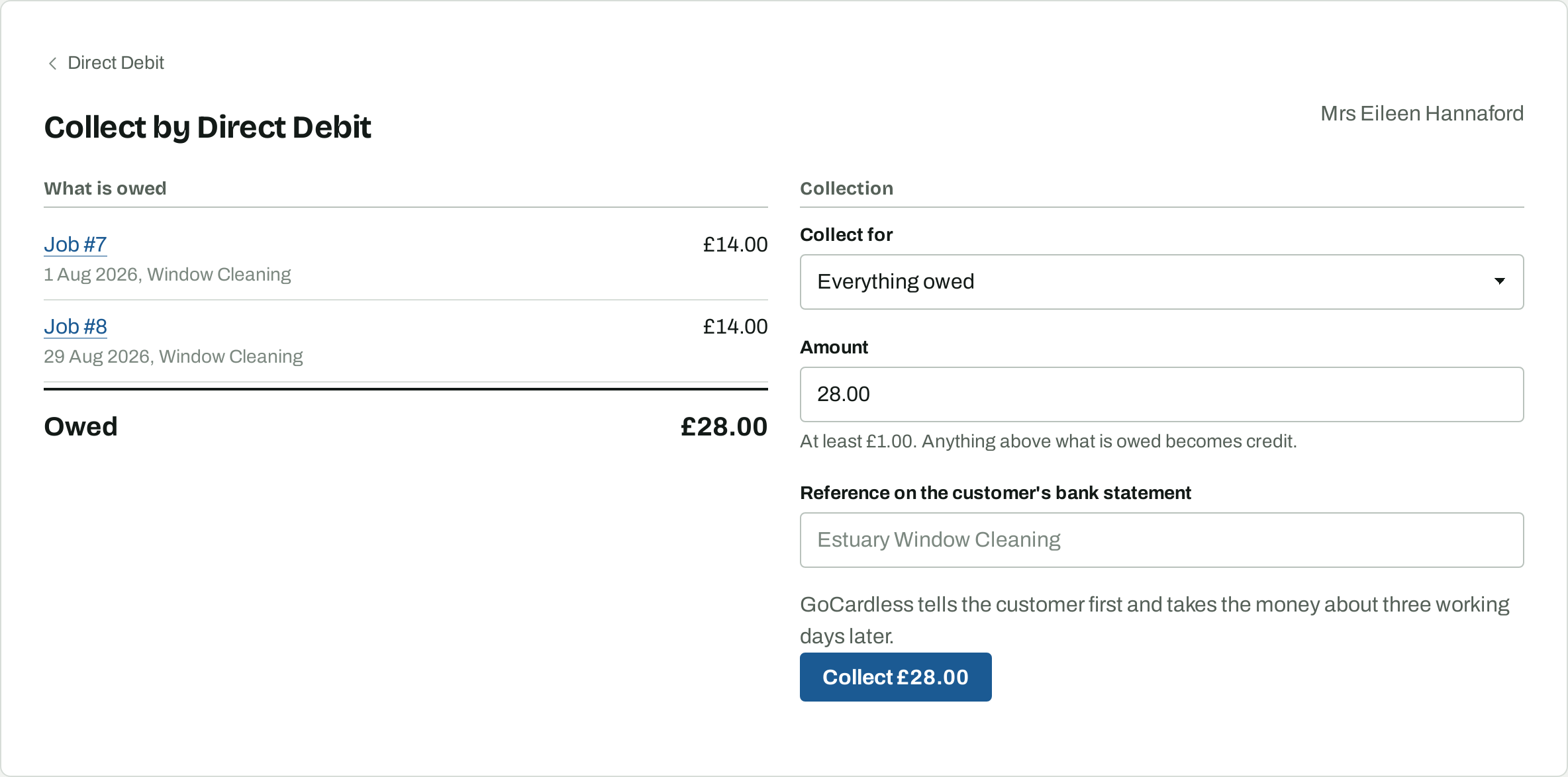
Every customer has a Direct Debit tab. It shows what they owe job by job, their mandate, and every collection so far. Collect asks GoCardless for the balance, or for one job if you choose it.
6. Set up a customer who has no mandate
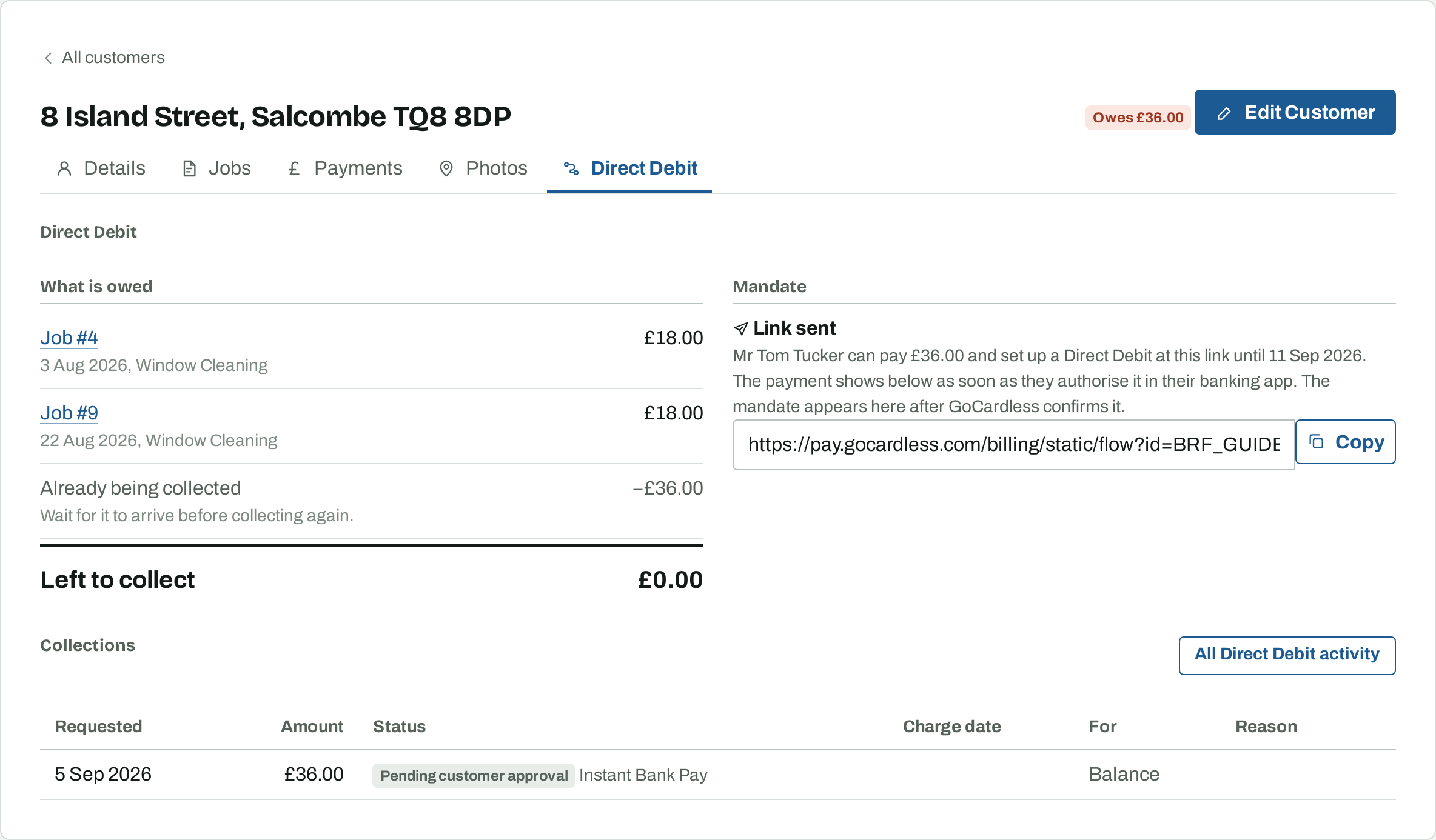
On the Direct Debit tab of a customer without a mandate, Osmosis makes a GoCardless link with the customer's details filled in. Copy it and send it to the customer, and they complete it on their phone in a couple of minutes. What the link asks for depends on whether they owe you anything.
If they owe nothing, choose Request a mandate. The mandate appears on their tab as soon as GoCardless confirms it. If they owe you money, choose Collect and set up a Direct Debit. The customer pays what is owed there and then by Instant Bank Pay, approving it in their banking app, and sets up the Direct Debit for next time in the same step. The payment arrives within minutes and shows on their tab as an Instant Bank Pay collection. Collect only takes the payment without a mandate, for a customer who would rather pay each time.
7. Collect from everyone who owes
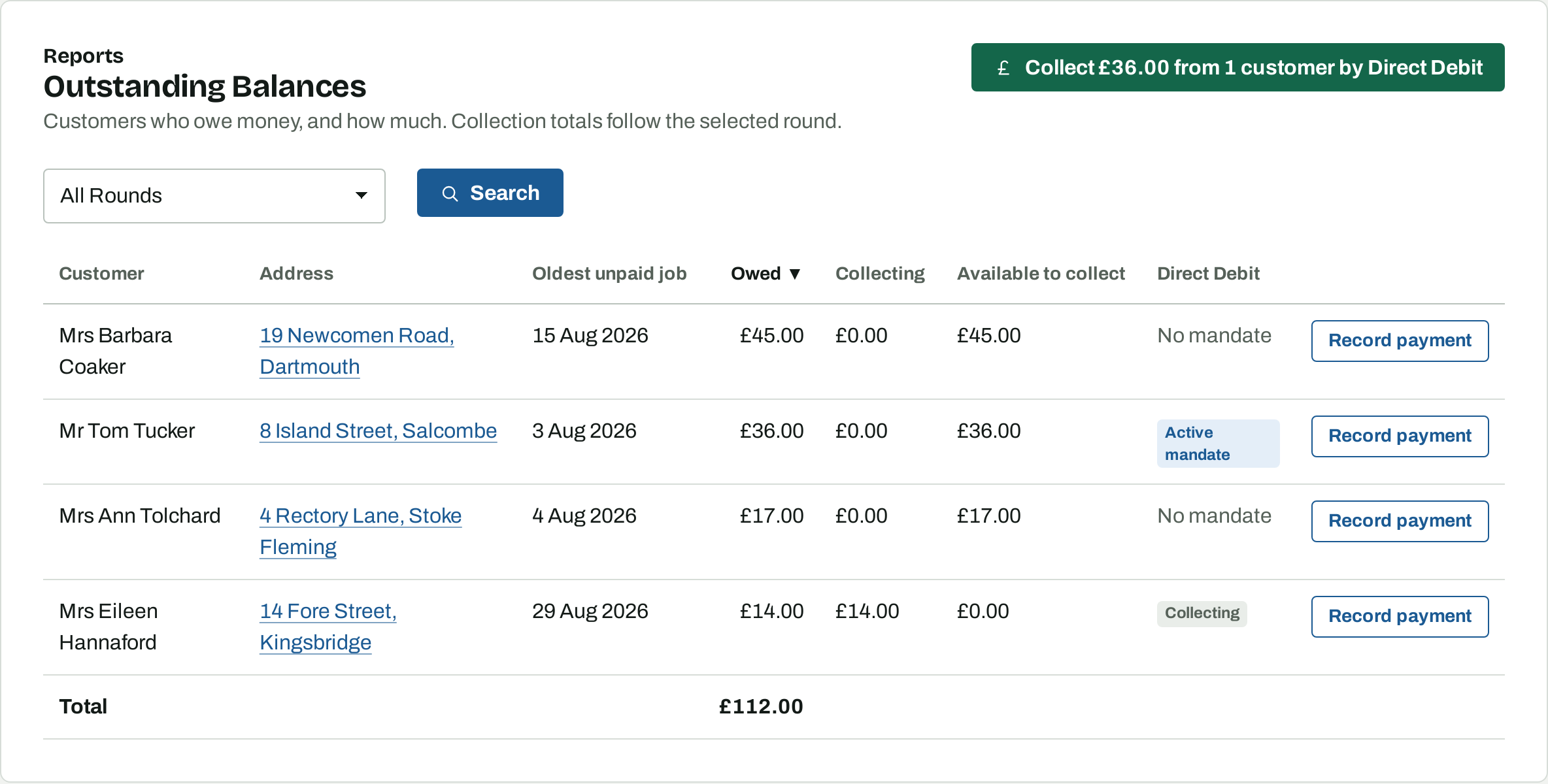
The Outstanding Balances report lists everyone who owes money. When GoCardless is connected it also shows each customer's mandate, and one button collects from everyone who has an active mandate and nothing already on its way.
8. Keep an eye on collections
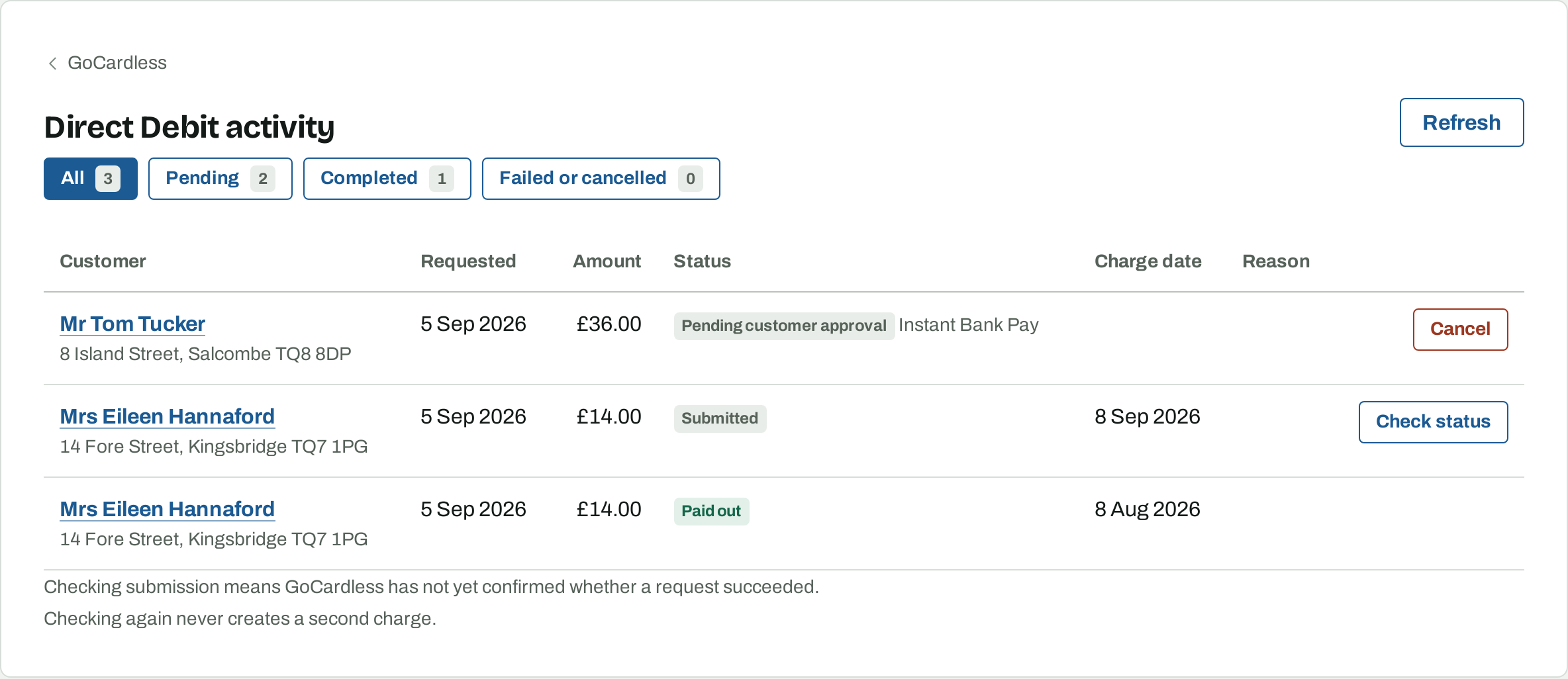
Activity on the GoCardless page lists every collection with where it has got to: pending, completed, or failed with GoCardless's reason. A failed collection leaves the job unpaid and back on the Outstanding Balances report, and offers Collect again.
9. Refund a collection
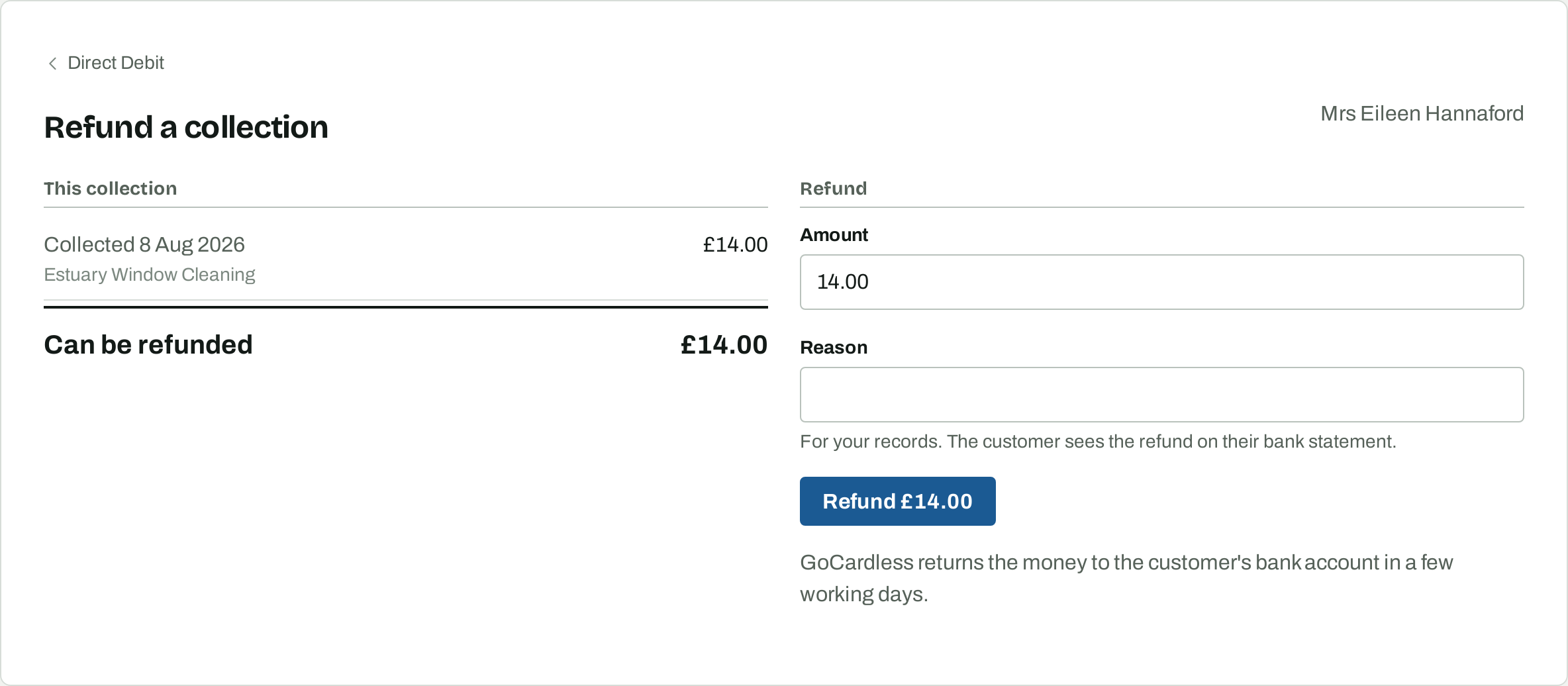
On a customer's Direct Debit tab, a settled collection offers Refund. Choose the amount, up to what was collected. GoCardless returns the money to the customer's bank account in a few working days, and the customer's balance shows the refund straight away.
10. What your customers see
GoCardless tells the customer by email before each collection, at least three working days ahead, with your company name and the amount. The reference on their bank statement is your company name unless you write something else on the collect form. Customers can cancel a mandate with their bank at any time; the mandate on their tab updates within a minute.
11. Fees, timing and unlinking
GoCardless charges its standard fee on each collection, taken from the payout. Osmosis adds nothing. Bacs takes three working days from the charge date to reach GoCardless, and payouts follow their schedule. An Instant Bank Pay payment is confirmed within minutes of the customer approving it. Unlink account on the GoCardless page stops anything new being collected; collections already requested are still tracked, and Reconnect brings the account back.