Your customers, their services and prices
Add a customer once, price each thing you clean, and set how often it comes round.
A customer record holds who they are, what you clean, what you charge for it and how often it comes round. Every day you plan and every job you record is priced from here, and the balances and reports are added up from the jobs. Once the services and prices are right, there is little else to keep up to date.
1. Add a customer
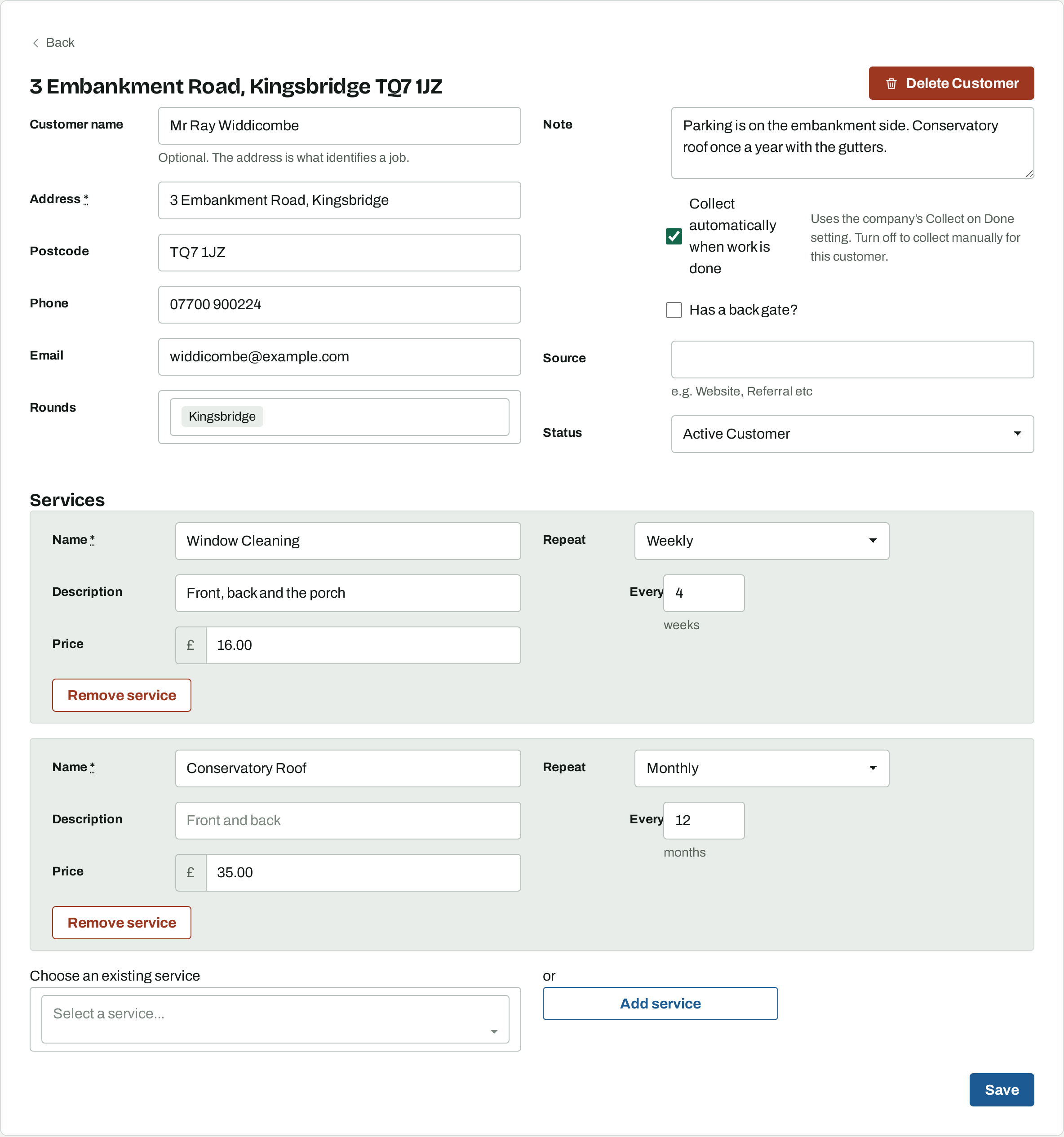
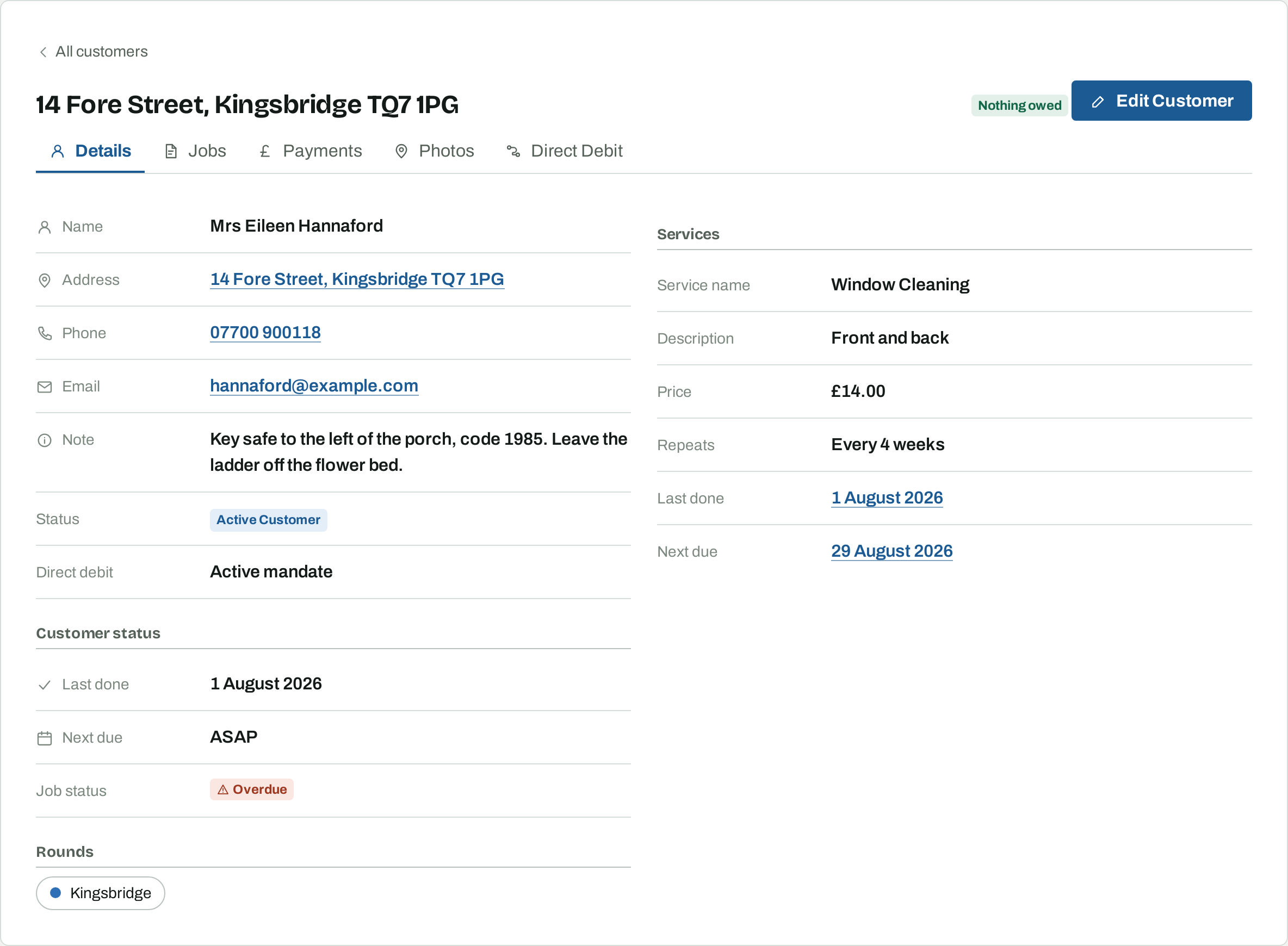
On Customers, choose New customer. The address is the only field you have to fill in, because the address is what identifies a job. Put the house number and street in Address and the postcode in Postcode: the customer list sorts and searches on the address, so keeping them apart groups a street together.
The name is optional. Where a customer has no name, Osmosis uses the address in its place. Phone and email are used by the Direct Debit link and by the details you see on the doorstep, so fill them in where you have them.
2. Price the work as services
A service is one thing you clean and charge for. Add one for each: windows front and back at £16, the conservatory roof at £35, gutters cleared at £60. Each service carries its own price and its own frequency, so they do not have to come round together.
A service you have set up for someone else can be picked from Choose an existing service instead of typed again, and its name, price and frequency come with it. Change any of them afterwards and only this customer's copy changes.
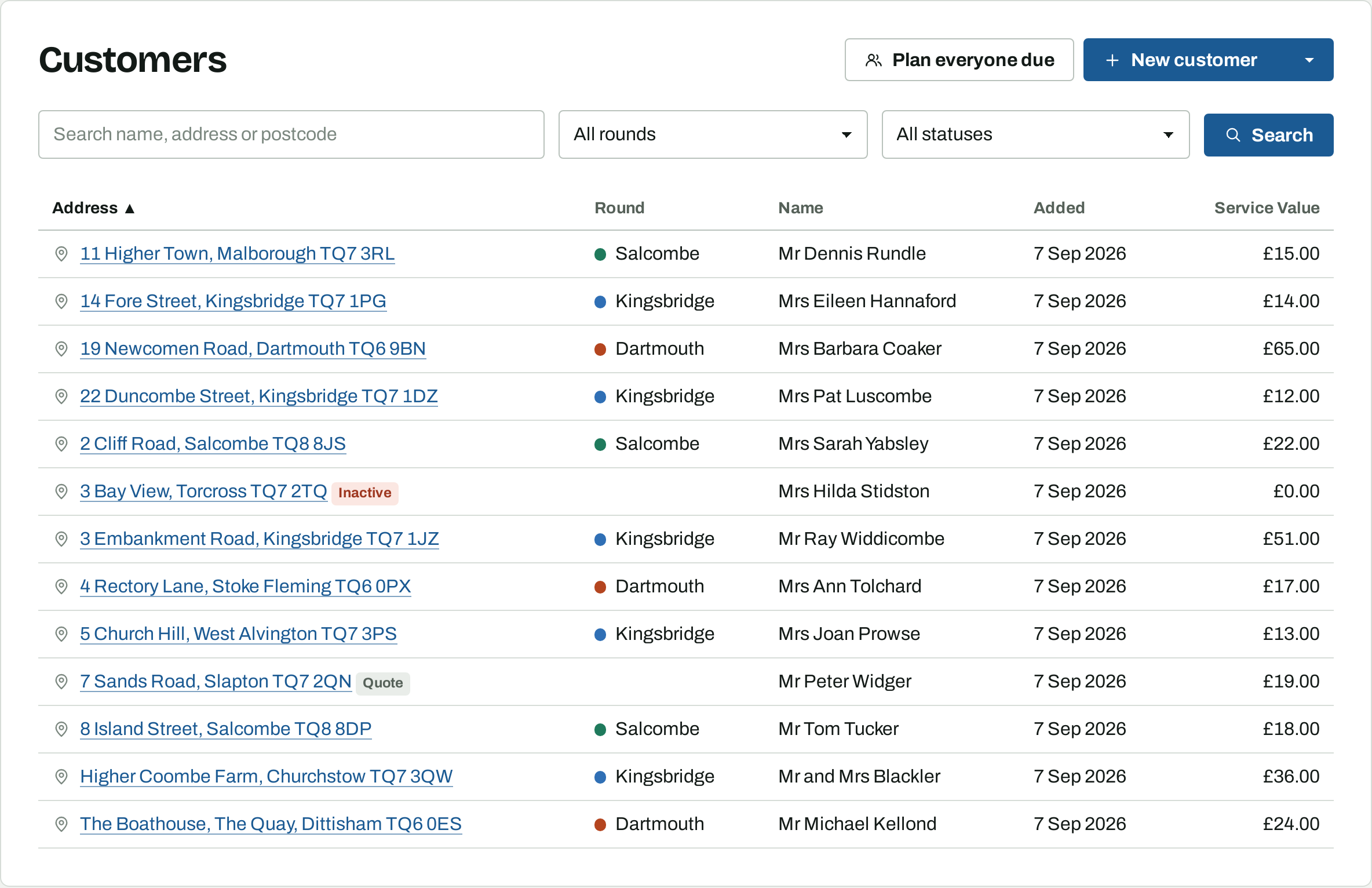
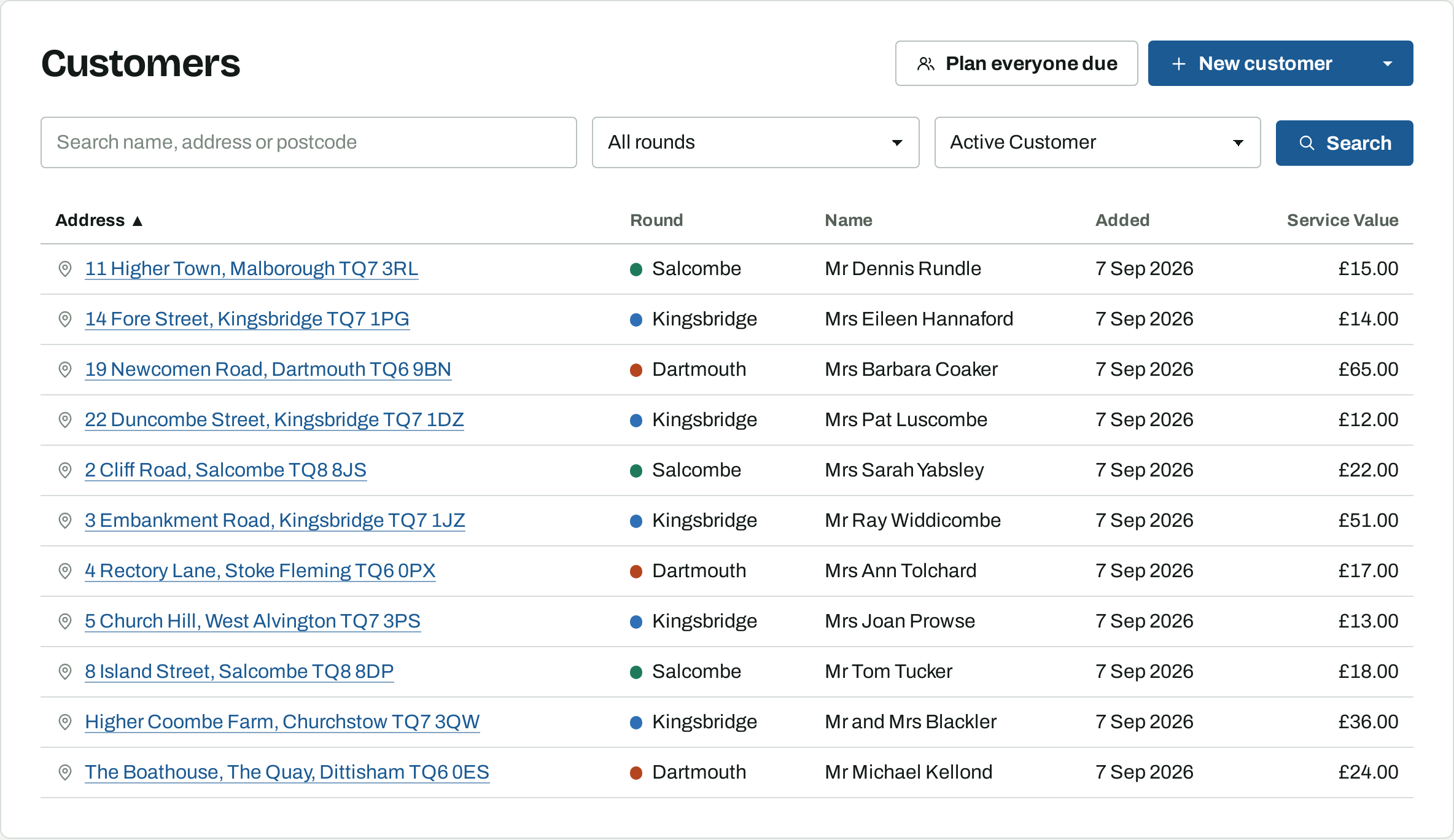
Prices are per visit. The customer's total across all their services is what the customer list shows as Service Value.
3. Set how often it comes round
Repeat is daily, weekly or monthly, and Every is the interval. A six-weekly clean is weekly every 6. A twice-yearly gutter clearing is monthly every 6. A four-weekly round is weekly every 4.
The interval counts from the last time that service was recorded done, not from a fixed date in the calendar. If a week is rained off, the dates that follow move with it, rather than leaving you a backlog of overdue work. A service that has never been done yet counts from today.
4. When a customer is next due
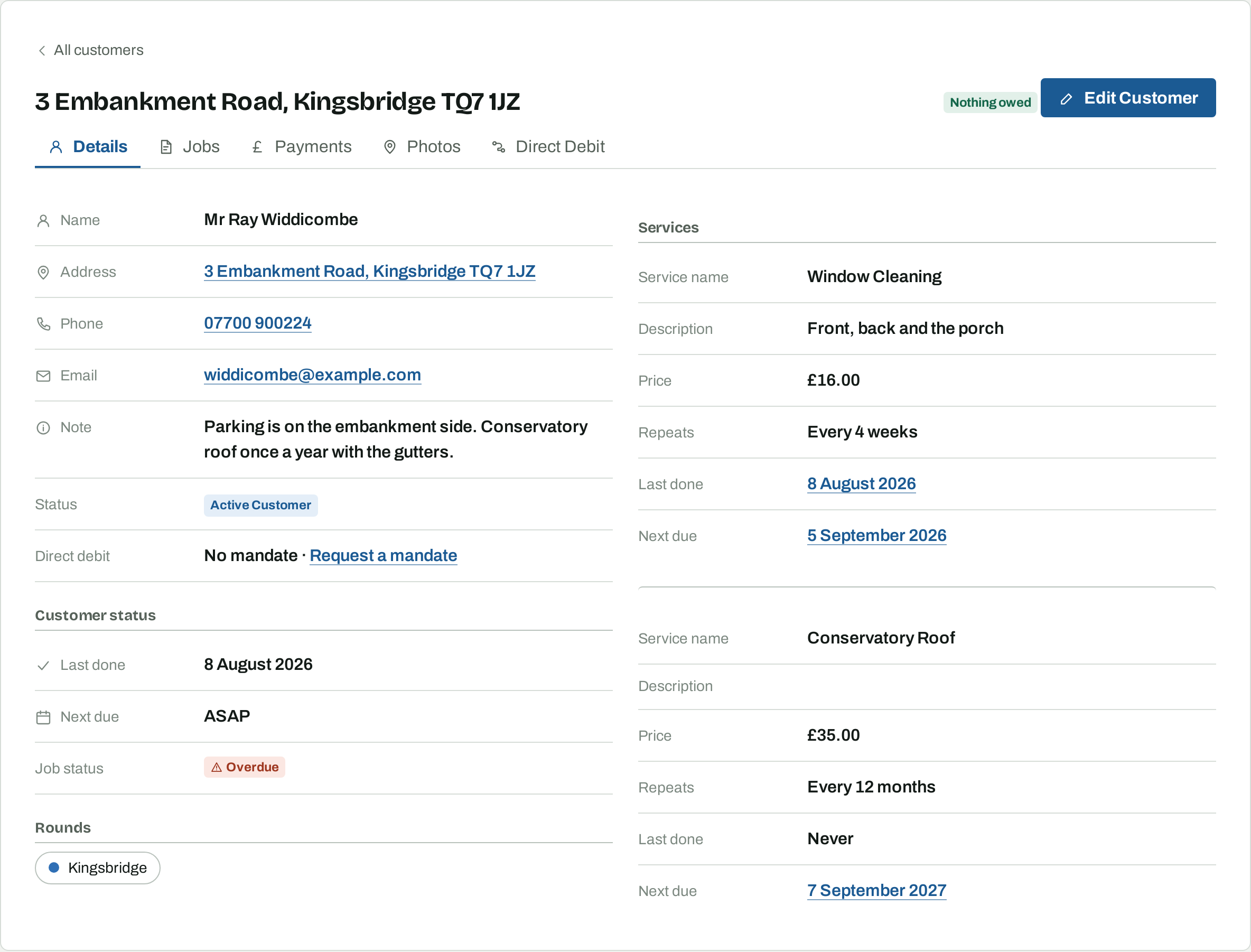
Each service works out its own next due date from the last job and the interval. The customer's next due date is the earliest of them, so a yearly conservatory roof does not pull the windows onto a day early. The Details tab shows Last done, Next due, and, where they already have a place on a day, Next planned with a link to it.
A customer whose next due date has passed shows ASAP and is marked Overdue. Overdue only means the customer is waiting to be put on a day.
5. One-off work
Leave Repeat empty and the service is one-off. It never makes the customer due and it never puts them on a day by itself. Use it for work a customer asks for now and again.
A customer whose services are all one-off has no next due date, so add them to a day yourself with Add customer on the list. Where a customer has a mix, tick the one-off service on the day you do it and the job and its price include it.
6. Enquiries, quotes and customers who have stopped
Every customer has a status, and it decides whether they are ever planned.
- Active Customer is on the round and gets planned.
- Contact is someone who has been in touch but has not been priced.
- Quote is someone you have given a price to and who has not said yes yet.
- Inactive is someone who has stopped.
Only active customers are planned, so an enquiry can be stored with a price on it without ever turning up on a day. Make a customer who has sold up inactive rather than deleting them, which keeps their jobs, payments and balance visible.
The customer list shows active customers until you choose otherwise. Set All statuses, or one status in particular, to see the rest. Anyone who is not an active customer carries a badge wherever they appear, so a quote turning up in a search is obvious.
7. Rounds
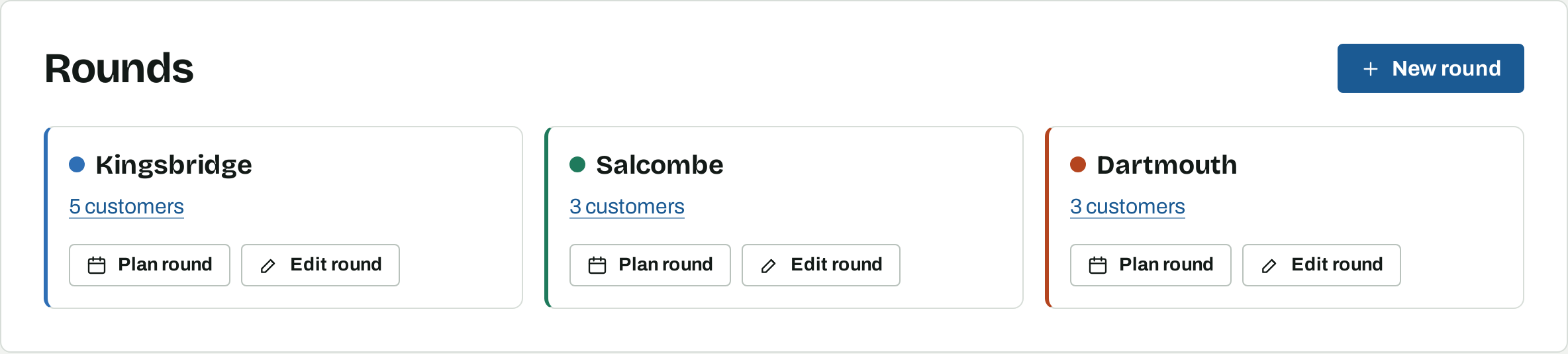
A round groups the customers you clean on one trip, so name it after the place: Kingsbridge, Salcombe, Dartmouth. The colour you give it marks the round wherever it appears. Which day you work a round can change from week to week, which is why the round is named after the place rather than the day.
A customer can be on more than one round. In the customer list, someone on two rounds sorts under the first of them by name.
Rounds are what the planner fills days from, and the outstanding balances report filters by, so it is worth putting every customer on one.
8. Notes and photos
The Note is shown on the planner entry and in the search result when you add someone to a day. Put what you need on the doorstep in it: the key safe code, the dog, where to park, which tap, which day not to come. Has a back gate is its own field and shows on the printed day.
The Photos tab holds pictures against the customer, for the meter, the parking space or the window that needs the longer pole.
9. Finding customers, and what your round is worth
Search on any part of a name, address or postcode, and filter by round and by status. Sort by any column heading: address to walk a street, Service Value to find work that is underpriced, Added to see who is new.
Plan everyone due at the top of the list plans the customers your search is showing. That is covered in the planner guide.
The dashboard turns every customer's services into one figure: Round value, what the whole book is worth in a month at today's prices.
10. Bringing your round over from another product
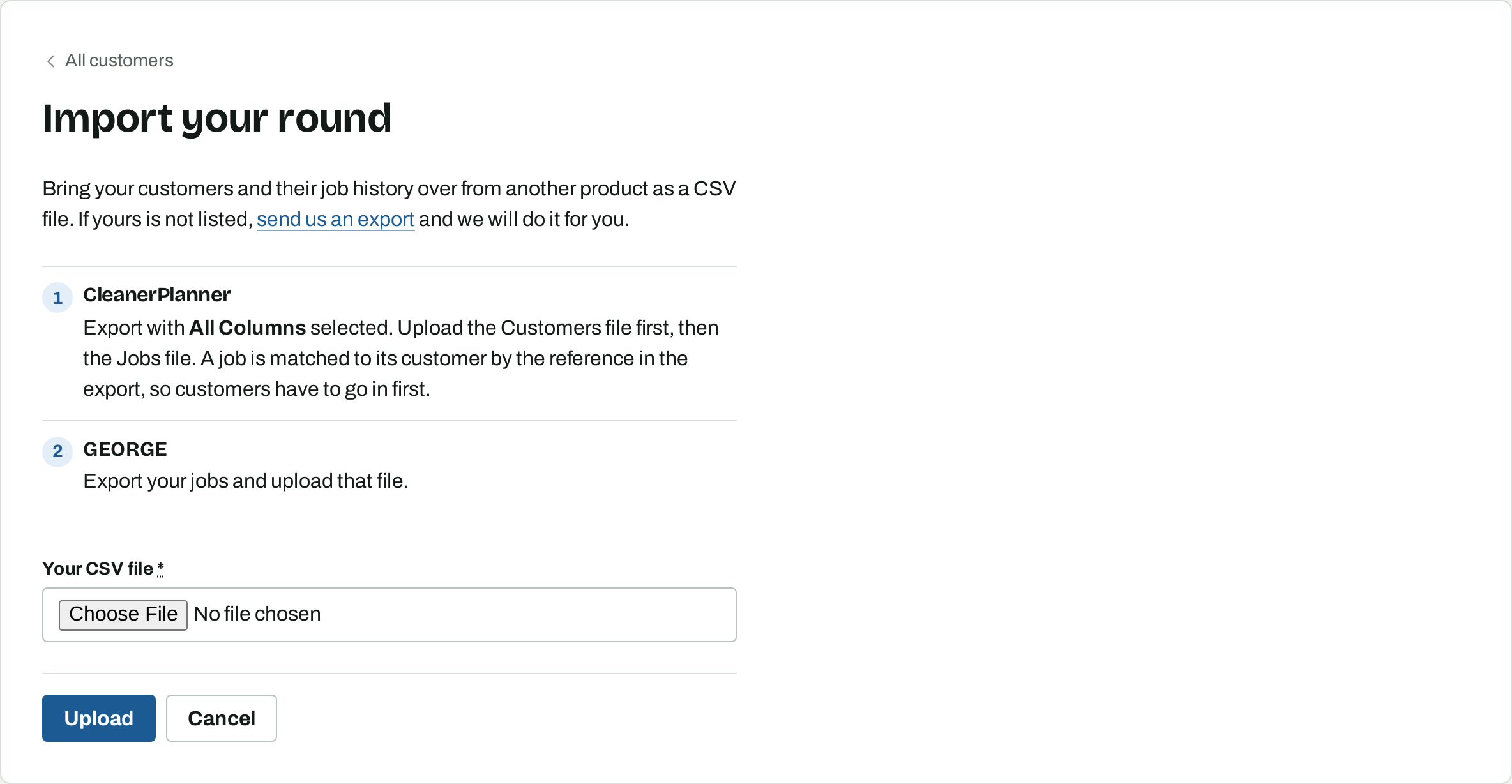
From the customer list, open the menu beside New customer and choose Import your round. Osmosis reads CSV files from CleanerPlanner and GEORGE.
For CleanerPlanner, export with All Columns selected and upload the Customers file first, then the Jobs file. Each job is matched to its customer by the reference in the export, so the customers have to be in first. For GEORGE, export your jobs and upload that file. Each upload shows you what it found and how many records it will add before anything is written.
If your product is not one of those two, send us an export and we will do it for you.
What to read next
- Planning your work — filling days from your rounds and working through them.
- Getting paid and keeping the books — recording money and seeing who owes you.